
SiteGround Cloud Hosting Review: Is It Worth It in 2026?
Last Updated on December 25, 2025
Are you looking for a hosting solution that can keep up with your growing website? If your current web hosting plan is holding you back, it might be time to consider an upgrade.
SiteGround’s managed cloud hosting offers a powerful, scalable, and reliable platform designed to unlock your site’s full potential.
This article will guide you through everything you need to know about this advanced service, from how it works to its key features and pricing, helping you decide if it’s the right move for your online presence.
Key Highlights
- Experience powerful cloud hosting built on the premium Google Cloud infrastructure for superior performance.
- Utilize auto-scalable resources that automatically adjust CPU and RAM to handle unexpected traffic spikes.
- Benefit from managed hosting services, where SiteGround handles all the backend IT management for you.
- Enjoy advanced security features and free daily backups to keep your website safe and secure.
- Seamlessly register a new domain name or transfer an existing one to get your site online quickly.
- Receive 24/7 expert support from our dedicated team.
Understanding Cloud Hosting and the SiteGround Cloud Server
Before exploring the specific benefits, it’s important to grasp what cloud hosting really is.
Unlike traditional hosting that relies on a single machine, a cloud server pools resources from a network of servers. This structure provides incredible flexibility and reliability for your website.
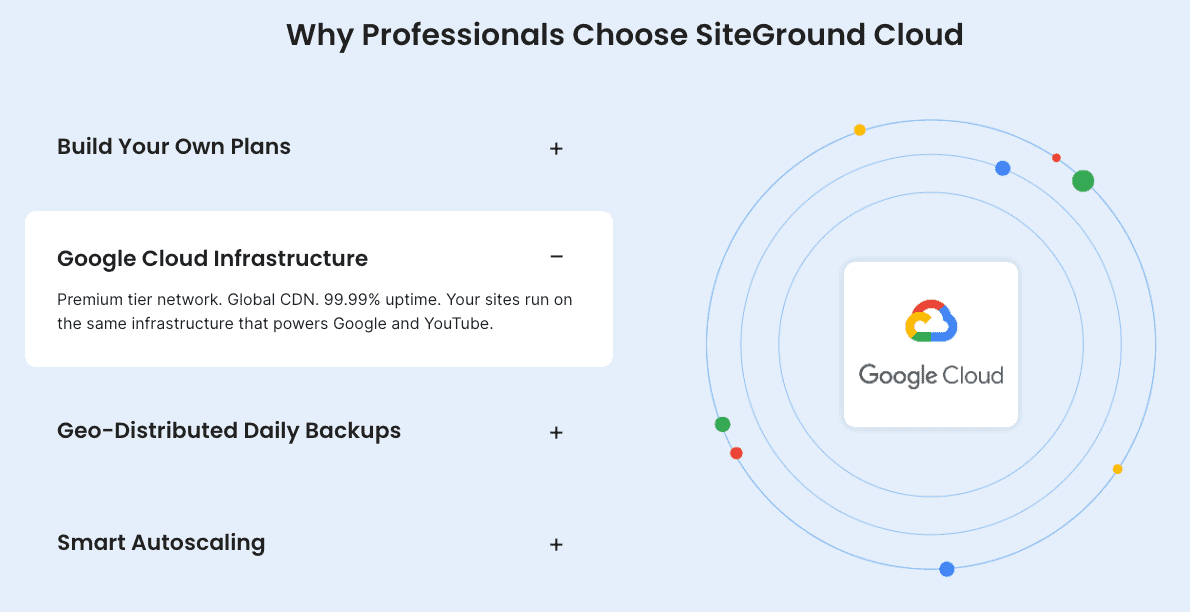
SiteGround leverages the power of the Google Cloud infrastructure to deliver its exceptional web hosting services.
This means your site benefits from Google’s top-tier network and hardware, all managed by your hosting provider. Let’s look closer at what cloud hosting entails and how SiteGround makes it work for you.

What is Cloud Hosting?
Cloud hosting is a modern approach to web hosting that uses a network of connected virtual servers to host websites.
Instead of your site being confined to a single server, its data is spread across multiple machines. This interconnected system is often referred to as “the cloud.”
This setup is fundamentally different from traditional hosting services.
If one physical server in the network fails, another one instantly takes over, ensuring your website remains online with minimal disruption. This inherent redundancy is one of the biggest advantages of cloud hosting.
Because it doesn’t rely on the limited resources of one machine, cloud hosting offers superior scalability and reliability.
It’s an ideal solution for businesses and high-traffic websites that need consistent performance and the flexibility to grow without being constrained by the hardware of a single server.
How Does SiteGround Cloud Work?
SiteGround takes the complexity out of cloud technology by offering a managed cloud hosting solution.
This service is built on top of the premium Google Cloud Platform, which means you get the power and reliability of Google’s infrastructure without needing the technical expertise to manage it yourself.
SiteGround configures and optimizes these cloud servers specifically for web hosting, providing you with a user-friendly environment.
Through virtualization, physical servers are transformed into a pool of resources that can be dynamically allocated to your website as needed. This ensures you always have the power required for optimal performance.
Here’s how SiteGround Cloud simplifies the process for you:
- Expert Management: SiteGround handles all backend operations, including security, updates, and performance monitoring.
- Optimized Performance: The servers are fine-tuned for speed and reliability, giving your website a significant boost.
- Added Features: You receive custom features and management tools that aren’t available on a standard public cloud platform.
- Seamless Scaling: You can easily add more resources to your plan without any downtime.
Key Differences Between Cloud Hosting and Traditional Web Hosting
The main difference between cloud hosting and traditional web hosting lies in the server infrastructure.
Traditional options like shared hosting or a dedicated server place your website on a single, isolated physical server. This comes with inherent limitations on resources and reliability.
Cloud hosting, in contrast, utilizes a network of interconnected servers. This distributed approach provides a level of flexibility and resilience that traditional hosting cannot match.
If your site experiences a sudden surge in traffic, the cloud can allocate more resources instantly.
Here are the key distinctions:
- Scalability: Cloud hosting allows you to scale resources up or down on demand, whereas traditional hosting has fixed limits.
- Reliability: With cloud hosting, if one server fails, others in the network compensate, leading to higher uptime. Traditional web hosting is vulnerable to single points of failure.
- Resource Allocation: In shared hosting, you share resources with other sites on the same server, which can affect performance. Cloud hosting provides dedicated resource pools.
- Cost Structure: Cloud hosting often follows a more flexible pricing model, while dedicated servers have a high fixed cost.
SiteGround Cloud Server Features
SiteGround’s cloud server plans are packed with features designed to provide power, flexibility, and peace of mind.
As your hosting provider, SiteGround ensures you have everything you need to run a high-performance website without worrying about the technical details. You can even add a team member to help manage your account.
From auto-scalable resources that handle traffic surges with ease to advanced security protocols that protect your data, these features are built for growth.
Let’s examine some of the standout functionalities that make SiteGround’s cloud hosting a top choice.
Auto-Scalable Resources and Flexibility
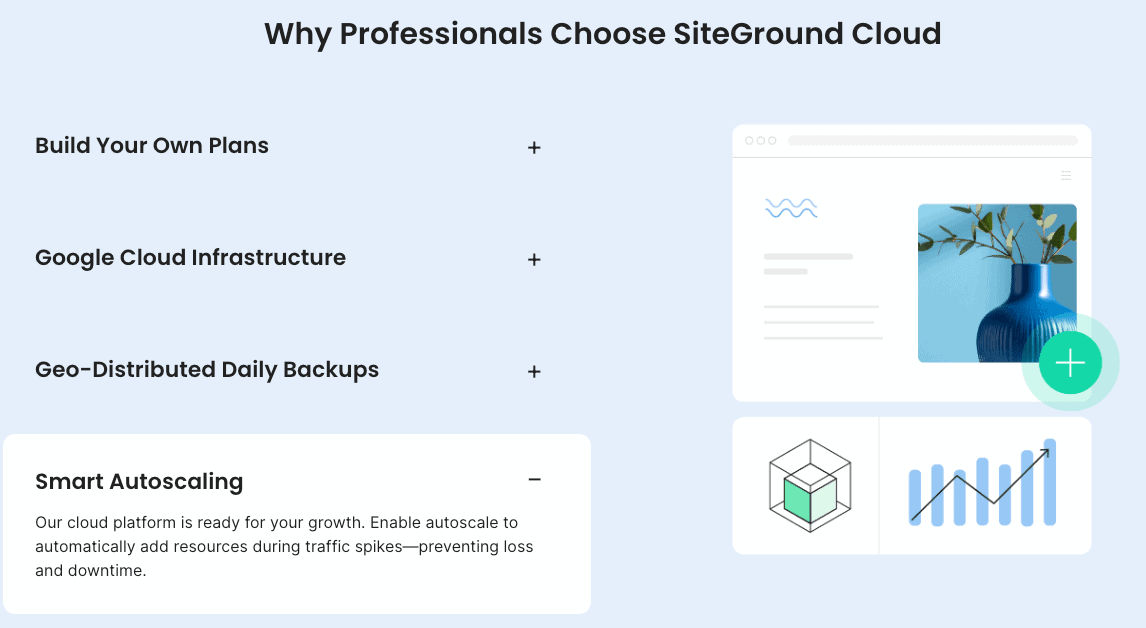
One of the most significant benefits of SiteGround’s cloud hosting is its auto-scalable resources.
This feature is designed to automatically respond to sudden traffic spikes, ensuring your website remains fast and responsive even during busy periods. You no longer have to worry about your site crashing on Black Friday or after a successful marketing campaign.
The system works by automatically adding more CPU and RAM to your account when it detects an increase in traffic.
Once the traffic levels return to normal, the resources scale back down. This provides a safety net for your website’s performance and is completely free.
This flexibility offers several key advantages for your hosting services:
- Prevents Downtime: Your site stays online during unexpected traffic surges.
- Maintains Speed: Performance is consistent, providing a better user experience.
- Cost-Effective: You don’t have to permanently upgrade your plan for temporary traffic increases.
- Peace of Mind: You can focus on your business without constantly monitoring resource usage.
Advanced Security and Daily Backups
Security is a top priority, and SiteGround’s cloud plans come with a multi-layered security system to protect your website.
These advanced security measures are designed to safeguard your sensitive data and prevent unauthorized access, giving you confidence that your site is in safe hands.
The platform includes a smart Web Application Firewall (WAF), an AI anti-bot system, and robust DDoS protection to block malicious traffic before it reaches your site.
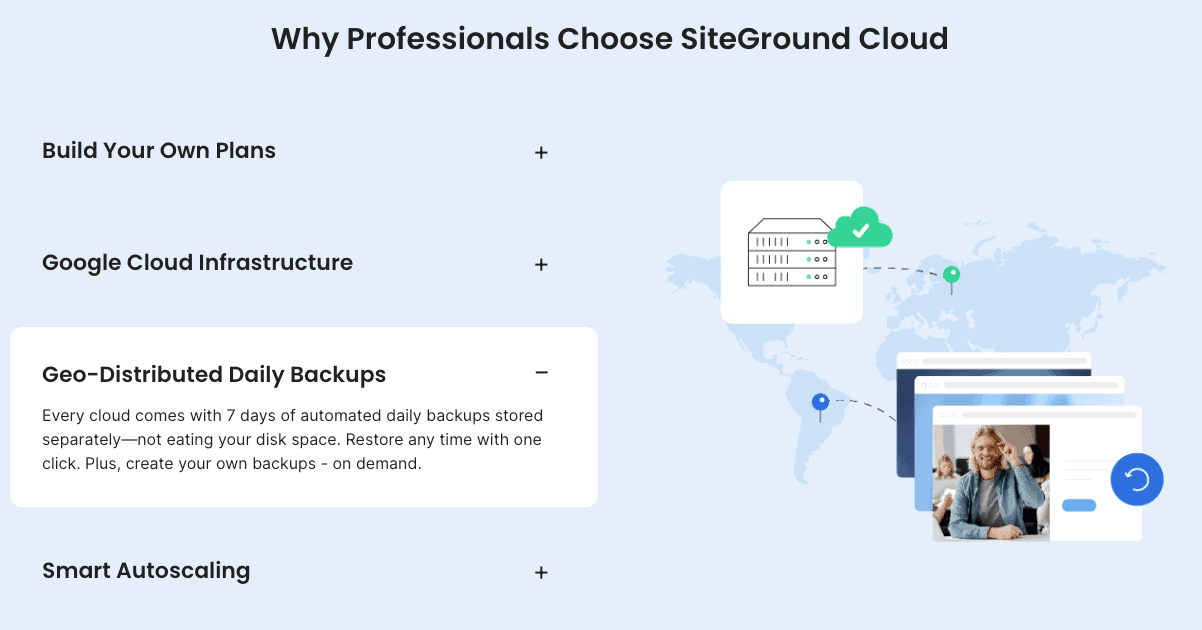
In addition, SiteGround automatically performs daily backups of your website and keeps up to seven copies. You can restore your entire site or specific files with just a few clicks.
Related: SiteGround free SSL Certificate
Here are some of the key security features:
- Free Daily Backups: Easily restore your site from the last seven days.
- Custom WAF: Proactively protects against emerging vulnerabilities.
- AI Anti-Bot System: Blocks millions of security threats every day.
- 24/7 Server Monitoring: System administrators constantly watch for potential issues, helping to prevent errors like 503 service unavailability by ensuring resources are properly managed.
Related: is SiteGround Site Scanner worth it?
SiteGround Cloud Storage Options
SiteGround’s cloud hosting services provide fast and reliable storage to ensure your website’s files and databases load quickly.
All plans use high-performance Solid State Drives (SSD), which are significantly faster than traditional hard drives. This SSD space contributes directly to better overall site speed and a smoother user experience.
You get generous storage allocations with each plan, starting from 40 GB of SSD space.
This is more than enough for most large websites, including e-commerce stores and high-traffic blogs. You also have full control over your resources, with the ability to customize your plan if you require even more storage.
Key storage features include:
- High-Speed SSD Space: All data is stored on SSDs for maximum performance.
- Generous Allocations: Plans come with ample storage to accommodate your website’s growth.
- Customizable Plans: You can easily configure a plan with the exact amount of storage you need.
SiteGround Cloud Plans and Pricing
Choosing the right plan is crucial, and SiteGround offers several cloud plans to fit different needs and budgets.
While the pricing is higher than shared hosting, it reflects the significant increase in power, resources, and managed services you receive. The clear pricing models make it easy to understand what you’re paying for.
As a leading hosting provider, SiteGround provides transparent and flexible options for businesses ready to scale.
Let’s break down the different plans available and explore the pricing structure to help you determine if a cloud upgrade is a worthwhile investment for you.
Related: SiteGround monthly payments?
Overview of SiteGround Cloud Plans
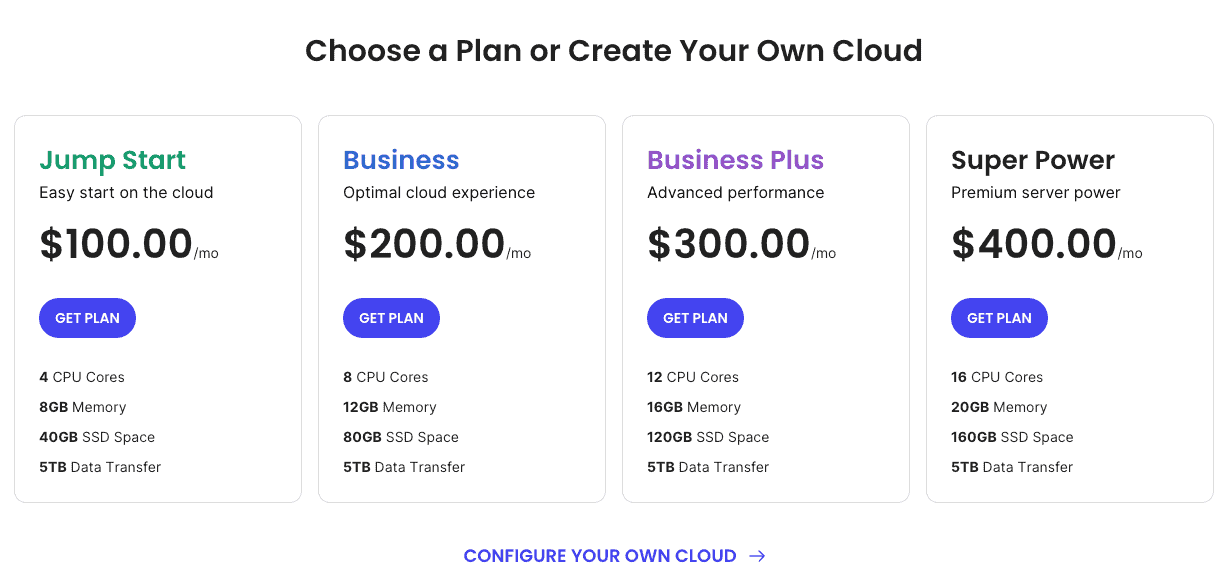
SiteGround offers four standard managed cloud hosting plans: Jump Start, Business, Business Plus, and Super Power.
Each plan provides a different level of dedicated resources, including CPU cores, memory, and SSD space, allowing you to choose the one that best matches your website’s demands.
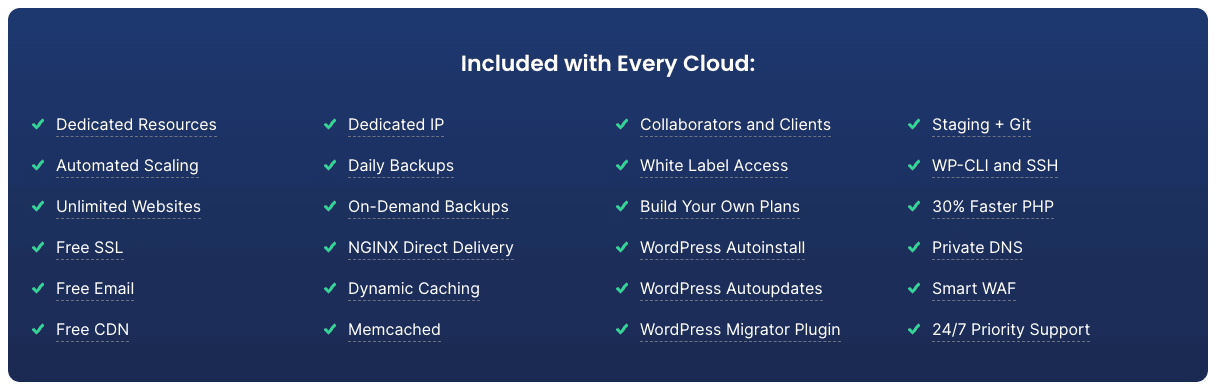
All cloud hosting plans come with the same premium features, such as 24/7 support, free SSL, daily backups, and a free CDN.
The main difference between the plans is the amount of computing power and storage you receive. You can also create a custom plan if your needs don’t fit one of the pre-configured options.
These hosting services are designed for growing businesses, popular blogs, and online stores that require more power than a shared hosting plan can offer.
| Plan Name | CPU Cores | Memory | SSD Space |
|---|---|---|---|
| Jump Start | 4 Cores | 8 GB | 40 GB |
| Business | 8 Cores | 12 GB | 80 GB |
| Business Plus | 12 Cores | 16 GB | 120 GB |
| Super Power | 16 Cores | 20 GB | 160 GB |
Explaining SiteGround Cloud Pricing Models
The pricing models for SiteGround’s cloud hosting services are designed to be straightforward and predictable.
Unlike some providers that bill based on fluctuating usage, SiteGround offers fixed monthly rates for its plans. This helps you budget effectively without worrying about surprise charges.
While the initial investment has a higher cost than shared hosting, the value is clear.
You are paying for dedicated resources, managed services, premium security, and top-tier performance that can support a high-traffic website.
This predictable pricing makes it an excellent choice for businesses that need a stable and powerful hosting environment.
Here’s what defines SiteGround’s cloud pricing:
- Fixed Monthly Costs: You pay a set amount each month for your chosen plan.
- All-Inclusive Features: The price includes all essential features like security, backups, and CDN.
- No Hidden Fees: Your hosting provider is transparent about all costs.
- Easy Scaling: You can add resources to your plan at any time with clear, upfront pricing for the additions.
SiteGround offers a variety of cloud hosting plans tailored to different needs and budgets.
The pricing for each plan is as follows: the Jump Start plan is priced at $100 per month, providing a great entry point for those new to cloud hosting.
The Business plan costs $200 per month, ideal for growing websites that require more resources.
For larger businesses or those with higher demands, the Business Plus plan is available at $300 per month.
Finally, the Super Power plan, designed for the most resource-intensive applications, is priced at $400 per month. Each plan comes with its own set of features to accommodate various hosting requirements.
| Plan Name | Price per Month | Ideal For |
|---|---|---|
| Jump Start | $100 | Those new to cloud hosting |
| Business | $200 | Growing websites that require more resources |
| Business Plus | $300 | Larger businesses or those with higher demands |
| Super Power | $400 | The most resource-intensive applications |
Related: SiteGround Coupon Code
Cost Analysis: Is a SiteGround Cloud Upgrade Worth It?
When considering a SiteGround cloud upgrade, it’s essential to evaluate costs against benefits.
Analyze your website’s traffic, resource needs, and potential performance improvements. If the upgrade offers significant enhancements to speed and reliability, it may well be worth the investment.
Related: how to sign up for SiteGround
SiteGround Cloud Performance Benefits
Performance is where SiteGround’s cloud hosting truly shines. By combining a powerful infrastructure with advanced speed optimization technologies, it delivers an exceptional user experience.
Faster website loading time not only keeps your visitors happy but also plays a crucial role in your site’s SEO ranking.
The platform is engineered for speed and reliability, ensuring your website is always available and loads in a snap.
Let’s dive into the specific performance benefits, including speed optimization tools, CDN integration, and uptime guarantees that make this hosting solution stand out.
Speed Optimization Tools and CDN Integration
SiteGround provides a suite of speed optimization tools to help you achieve the fastest load times possible.
This includes their powerful caching system, which stores static copies of your site to deliver content to visitors more quickly. This multi-layered caching is enabled by default on all cloud plans.
Furthermore, every cloud account includes free Content Delivery Network (CDN) integration. A CDN stores copies of your website in data centers around the world.
When a website visitor accesses your site, the content is delivered from the server closest to them, dramatically reducing latency and improving loading speed for a global audience.
Key tools for faster load times include:
- Advanced Caching: A multi-level caching system (NGINX Direct Delivery, Dynamic Cache) that significantly boosts speed.
- Free CDN Service: Brings your content closer to your visitors for a faster experience.
- Ultrafast PHP: A custom PHP setup that makes your site’s code execute more efficiently.
Uptime Guarantee and Reliability Factors
Website availability is critical for any online business. SiteGround understands this and offers a 99.9% uptime guarantee for its cloud services.
This commitment is backed by a robust infrastructure that minimizes the risk of downtime.
The cloud network is designed with redundancy, so if one server experiences an issue, your site is automatically switched to another without interruption.
This high level of reliability is achieved through several factors.
The use of the Google Cloud Platform provides a world-class network, while proactive server monitoring by SiteGround’s expert team ensures potential issues are addressed before they can affect your website.
A powerful web application firewall also adds another layer of protection.
As a hosting provider, SiteGround has invested heavily in creating a stable and resilient environment.
This focus on reliability means you can trust that your website will be available for your customers whenever they need it, building trust and ensuring you don’t miss out on opportunities.
Related: SiteGround money-back guarantee
Customization for High-Traffic Websites
SiteGround’s cloud hosting is perfectly suited for high-traffic websites that require extensive customization.
Unlike more restrictive hosting environments, the cloud platform gives you the freedom to configure your resources to meet your specific needs. You can easily add more CPU, RAM, or SSD space as your site grows.
This flexibility extends to account management. You can add a team member to your hosting account and give them access to specific sites or tools.
This is ideal for agencies or businesses where multiple people collaborate on website management. It adds an extra layer of convenience and streamlines workflows.
Customization options include:
- On-Demand Resource Scaling: Instantly add more CPU and RAM to your plan.
- Collaborator Roles: Grant access to developers, designers, or clients without sharing your own login details.
- Custom Plan Configuration: Build a plan from the ground up with the exact resources you need.

Related: SiteGround data centers & server locations
Comparing SiteGround Cloud to Other Hosting Solutions
To truly appreciate the value of cloud hosting, it helps to compare it against other common hosting solutions.
Every type of web hosting—from shared hosting to dedicated hosting and VPS hosting—serves a different purpose. Understanding these differences will help you make an informed choice for your website.
SiteGround’s cloud offering provides a unique balance of power, scalability, and ease of use that sets it apart.
In the following sections, we’ll see how it stacks up against the more traditional hosting options, highlighting the key advantages it brings to the table.
SiteGround Cloud vs. Shared Hosting
The most significant difference between SiteGround’s cloud and shared hosting is resource allocation.
On a shared hosting plan, your website shares server resources, such as CPU and RAM, with hundreds of other websites. This can lead to performance issues if another site on the server experiences a traffic spike.
Cloud hosting eliminates this “noisy neighbor” effect by providing you with your own dedicated resources within a cloud environment.
This ensures your site’s performance is consistent and unaffected by other users. While a shared hosting plan is a great starting point for new or small websites, cloud hosting is the necessary upgrade for growth.
The main difference is clear when you consider:
- Dedicated Resources: Cloud hosting gives you guaranteed resources, while shared hosting does not.
- Scalability: Cloud plans can be easily scaled to handle more traffic, whereas a shared hosting plan has strict limits.
- Performance: The dedicated resources and advanced infrastructure of cloud hosting result in superior speed and reliability.
Related: web hosting coupon codes
SiteGround Cloud vs. VPS Hosting
VPS hosting, or a Virtual Private Server, is often seen as a middle ground between shared and dedicated hosting.
It involves partitioning a single physical server into multiple virtual servers, each with its own dedicated resources. While this is an improvement over shared hosting, it is still confined to the hardware of a single machine.
SiteGround’s cloud hosting services offer greater scalability and reliability than traditional VPS hosting.
Because your site is hosted on a network of servers, you aren’t limited by a single piece of hardware. If a server fails, the network keeps your site online. A VPS, on the other hand, would go down with its host server.
Here’s how they compare:
- Scalability: Cloud hosting offers seamless, on-demand scaling, which is more flexible than the rigid resource limits of a VPS.
- Reliability: The distributed nature of the cloud provides higher uptime compared to a single-server VPS environment.
- Management: SiteGround’s cloud is fully managed, while many VPS plans require you to handle server maintenance yourself.
Related: VPS Hosting discounts
SiteGround Cloud vs. Dedicated Hosting
Dedicated hosting gives you exclusive access to an entire physical server.
This provides the highest level of control and performance but comes at a significant cost and requires a high level of technical expertise to manage. You are responsible for all server maintenance, security, and software updates.
SiteGround’s managed cloud hosting offers comparable performance to a dedicated server but with far greater flexibility and without the management headache.
You get all the power you need, plus the ability to scale resources instantly—something that requires manual hardware upgrades on a dedicated server. As your hosting provider, SiteGround handles all the backend work for you.
Consider these points:
- Flexibility: Cloud hosting allows for easy scaling, while a dedicated server is rigid and difficult to upgrade.
- Cost-Effectiveness: Cloud hosting is often more affordable than renting an entire physical server.
- Management: SiteGround’s cloud is fully managed, saving you the time and expense of hiring a system administrator.
Managing and Upgrading Your SiteGround Cloud Plan
One of the best aspects of SiteGround’s cloud hosting is how easy it is to manage. You don’t need extensive technical expertise to take full advantage of your cloud plan.
The intuitive control panel allows for effortless monitoring of your resources and performance.
When your website grows, the upgrade process is just as simple. Your hosting provider has designed the system to be seamless, ensuring you can scale up your resources without any disruption to your site.
Let’s look at how you can upgrade to a cloud plan and keep an eye on your site’s performance.
How to Seamlessly Upgrade to SiteGround Cloud
Upgrading from a shared plan to SiteGround Cloud is a straightforward process designed to be as smooth as possible.
You can initiate the upgrade directly from your client area with just a few clicks. SiteGround’s team handles the entire migration, ensuring there is no downtime for your website.
Before the upgrade, the system will create a complete copy of your site to move to the new cloud server.
This ensures that all your files, databases, and settings are transferred perfectly. Should you encounter any technical issues or have questions, the support team is available 24/7 through official channels of communication to assist you.
To ensure a smooth transition:
- Initiate from Your Client Area: The upgrade option is easily accessible within your hosting dashboard.
- Let the Experts Handle It: SiteGround’s team manages the migration to prevent downtime.
- Contact Support if Needed: If you have any concerns, the support team is ready to help you through the process.
Related: Exploring SiteGround Site Tools
Monitoring Site Performance and Resource Usage
Once you’re on a cloud hosting plan, SiteGround provides you with tools for easy monitoring of your site performance and resource usage.
From your control panel, you can view real-time statistics on your CPU, RAM, and disk space consumption. This helps you understand your site’s needs and anticipate when an upgrade might be necessary.
This monitoring is crucial for preventing performance bottlenecks.
If you notice a consistent increase in resource usage, you can proactively scale your plan to accommodate the growth. This helps avoid potential 503 errors, which can occur when a server is overloaded and unable to handle requests.
Effective monitoring allows you to:
- Track Resource Consumption: Keep an eye on your CPU and RAM usage in real time.
- Anticipate Growth: Make informed decisions about when to scale your resources.
- Maintain Optimal Performance: Ensure your website always has the power it needs to run smoothly.
Final Thoughts
In summary, SiteGround Cloud Hosting is a powerful solution that can significantly enhance your website’s performance and reliability.
With features like auto-scalable resources, advanced security measures, and a commitment to uptime, it stands out among hosting options.
Whether you are looking to accommodate high traffic or seeking the flexibility of cloud resources, SiteGround offers plans tailored to meet your needs.
Transitioning to SiteGround Cloud not only optimizes your site’s speed but also provides peace of mind with daily backups and extensive support.
Don’t miss out on the opportunity to unleash your website’s potential—get in touch for a free consultation today!
Frequently Asked Questions
Are there common issues or errors with SiteGround cloud hosting?
While no hosting provider can guarantee zero technical issues, SiteGround’s managed cloud hosting is designed for stability. Features like auto-scaling, DDoS protection, and daily backups help prevent common problems like 503 errors. If an issue does arise, the expert support team member is available 24/7 to resolve it quickly.
What do recent reviews say about SiteGround Cloud Hosting in 2026?
Recent reviews for SiteGround Cloud in 2026 continue to be overwhelmingly positive. Customers consistently praise the platform’s speed, reliability, and exceptional customer support. As a leading web hosting provider, SiteGround is lauded for making powerful cloud technology accessible and easy to manage for users of all skill levels.
Which essential features are included in the SiteGround Cloud plan?
Every SiteGround Cloud plan includes a rich set of essential features at no extra cost. These include a free SSL certificate, daily backups, a free CDN for faster global performance, a staging tool for testing changes, and access to the user-friendly Site Tools control panel and SiteGround website builder.
Here are some related posts that you might find helpful:
- is SiteGround Domain Privacy worth it?
- SiteGround Black Friday deal
- SiteGround payment methods
- SiteGround GrowBig plan review
- SiteGround GoGeek plan review
- who owns SiteGround?
- what is SiteGround used for?
- does SiteGround offer a free trial?
- SiteGround Email Marketing Guide
- SiteGround free domain name
- SiteGround Reseller Hosting review
- how to install WordPress on SiteGround
- SiteGround website builder review
- how to migrate website to SiteGround

- Shopify Black Friday Checklist: Prepare Your Store for BFCM 2026 - October 16, 2026
- How to Build a One-Product Shopify Store (Step by Step) - October 16, 2026
- Shopify Product Photography Ideas for Beginners - October 16, 2026

Leave a Reply
Want to join the discussion?Feel free to contribute!