
What Is DreamHost? What Is DreamHost Used For? (2026)
Last Updated on September 29, 2026
DreamHost is a web hosting company used to host websites, WordPress sites, blogs, online stores, business websites, web applications, and other online projects.
DreamHost also provides domain registration, professional email, managed WordPress hosting, VPS hosting, dedicated servers, and other services that help you build and operate a website.
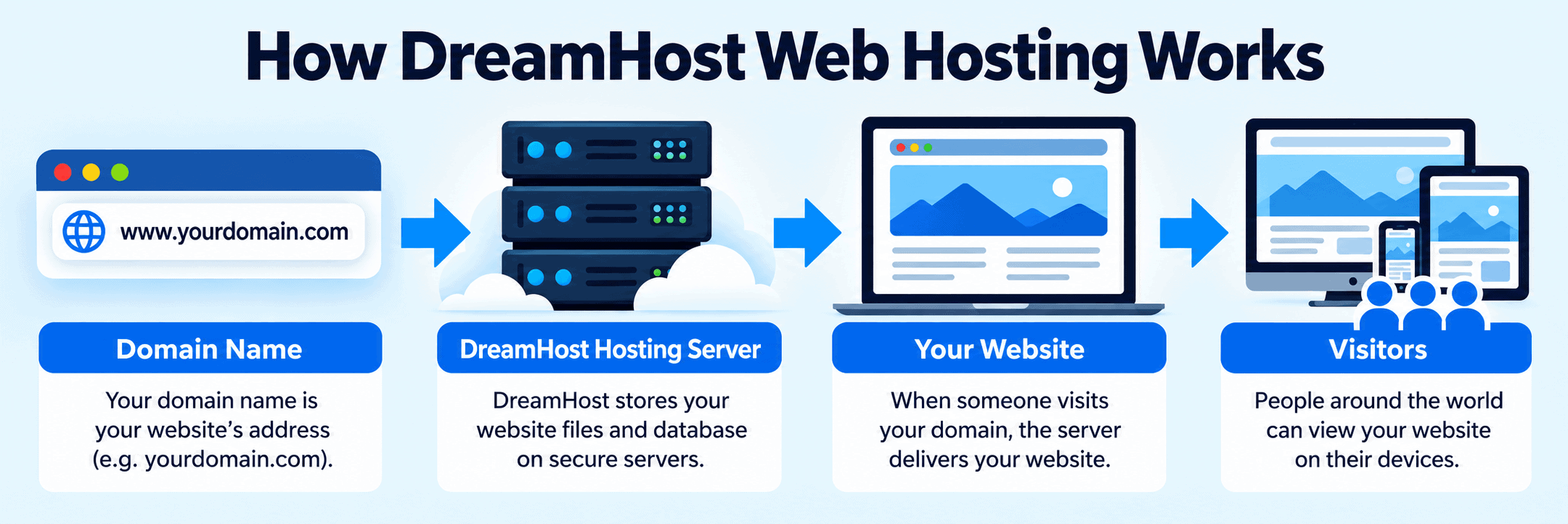
If you’re researching DreamHost because you want to start a website, the easiest way to think about it is this: your domain name is your website’s address, while DreamHost provides the hosting infrastructure that stores your website and makes it accessible online.
You can view DreamHost hosting plans here.

What Is DreamHost?
DreamHost is a web hosting provider that gives individuals and businesses the infrastructure needed to put websites and applications online.
Instead of storing your website only on your own computer, your website files and database are stored on a hosting server. When someone enters your domain name into a browser, the server delivers your website to that visitor.
DreamHost offers several types of hosting depending on what you want to build, including traditional web hosting, managed WordPress hosting, VPS hosting, dedicated servers, and more advanced server options for developers.
DreamHost also offers domain registration and email services, so you can manage multiple parts of your website through the same company.
One important difference compared with some other hosting providers is that DreamHost uses its own custom control panel rather than cPanel.
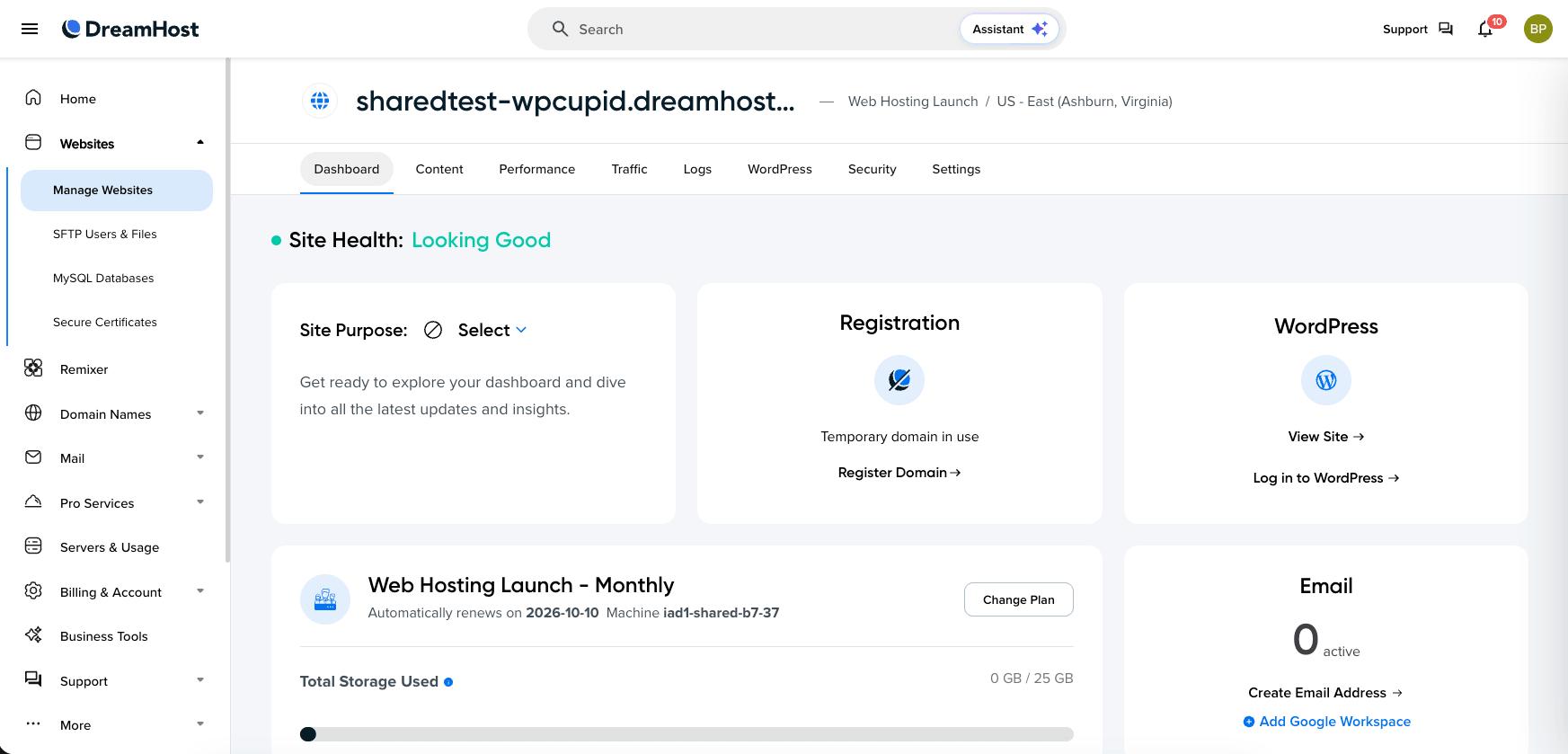
You can use the DreamHost panel to manage your websites, domains, email, hosting services, users, and other account settings.
What Is DreamHost Used For?
DreamHost is primarily used for hosting websites and online applications. Exactly what you can do with DreamHost depends on the hosting product you choose. Common uses for DreamHost include:
- Hosting a WordPress website
- Starting a blog
- Creating a small-business website
- Building a personal or portfolio website
- Hosting an ecommerce store
- Registering and managing domain names
- Creating professional email addresses
- Hosting multiple websites
- Running higher-traffic websites
- Hosting websites on a VPS
- Using a dedicated server
- Running applications and development projects
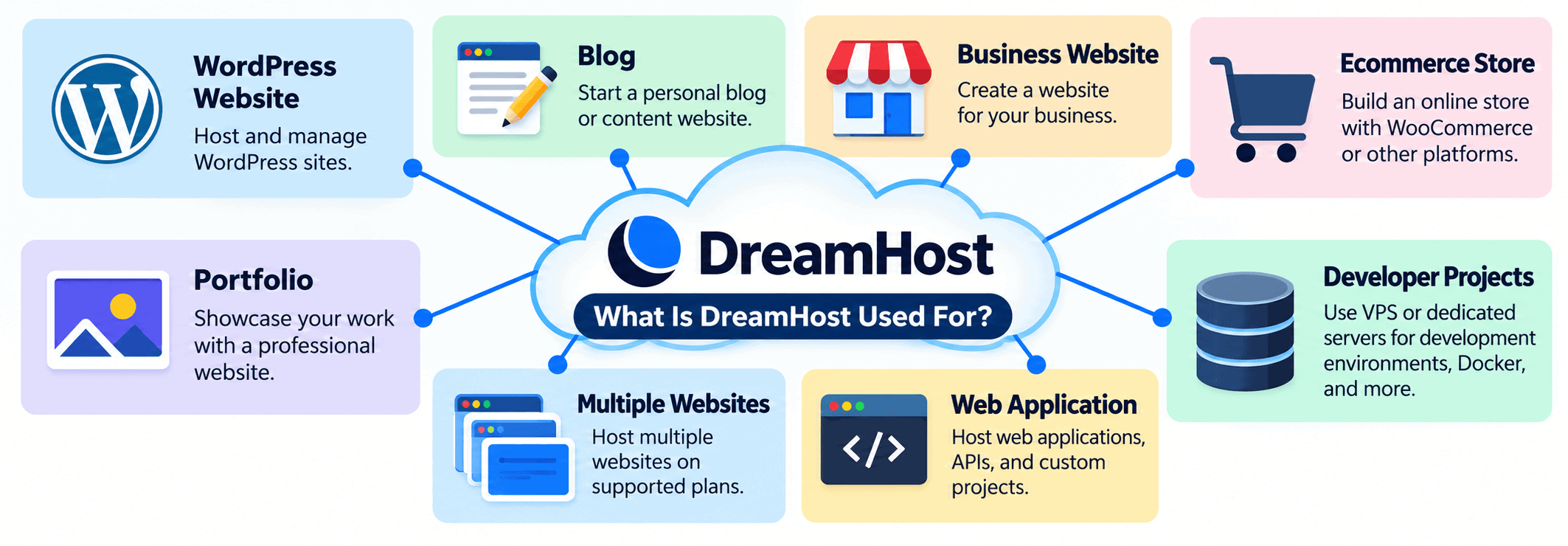
The important part is choosing the DreamHost service that matches what you are actually building. A beginner creating their first WordPress site has very different needs from a developer who needs complete server control for applications or containers.
Can You Use DreamHost for WordPress?
Yes. WordPress is one of the main reasons people use DreamHost.
DreamHost allows you to install WordPress on compatible hosting plans, making it possible to create blogs, business websites, portfolio sites, ecommerce stores, and many other types of websites.
DreamHost also offers DreamPress, its managed WordPress hosting service.
Managed WordPress hosting is designed for people who want a hosting environment built specifically around WordPress without having to manage as many of the technical hosting details themselves.
For most beginners building a standard WordPress website, regular DreamHost web hosting or DreamPress will normally make more sense than starting with a self-managed VPS.
You can compare DreamHost’s current WordPress hosting options before signing up.
Can You Use DreamHost for a Blog?
Yes. DreamHost can be used to host personal blogs, professional blogs, content websites, and online publications.
WordPress is particularly well suited for blogging because it includes built-in support for posts, categories, tags, images, authors, comments, themes, and plugins. For a new blog, you generally do not need an expensive VPS or dedicated server.
A standard WordPress hosting option will usually be the more practical place to start, and you can upgrade your hosting later if your website grows significantly.
Can You Use DreamHost for a Business Website?
Yes. DreamHost can host business websites ranging from simple local-business websites to larger WordPress sites and custom applications. A typical business website might include:
- A homepage
- Service pages
- An About page
- Contact forms
- A blog
- Business email
- Lead-generation pages
- Online booking
- Customer forms
- Third-party integrations
The hosting plan you need depends on your website’s traffic, software requirements, storage, and how much server management you want to handle yourself.
Can You Use DreamHost for Ecommerce?
Yes. DreamHost can be used to host ecommerce websites. One common approach is to use WordPress with WooCommerce.
WooCommerce adds ecommerce functionality to WordPress, allowing you to create products, accept payments, manage orders, configure shipping, and operate an online store.
An ecommerce website can require more server resources than a simple blog or brochure website, especially as the number of products, customers, plugins, and database requests increases. If you are building a serious online store, consider:
- Expected traffic
- Number of products
- Checkout requirements
- Payment processing
- Database activity
- Plugins
- Backups
- Security
- Website performance
- Ongoing maintenance
Do not choose your hosting plan based only on the lowest advertised price.
Can DreamHost Host Multiple Websites?
DreamHost can host multiple websites, but the number of websites you can add depends on the specific plan you choose. This is important if you plan to operate several websites from the same hosting account.
For example, someone building one WordPress website may have very different requirements from an agency, freelancer, or business that needs to manage multiple websites.
Always check the website limits for the exact DreamHost plan you are considering before purchasing.
Does DreamHost Include a Domain Name?
Eligible DreamHost hosting plans may include a free domain registration for the first year when you purchase a qualifying hosting term. However, the offer can depend on the plan and billing term you select.
That means you should verify what is included during checkout instead of assuming every DreamHost plan automatically includes a free domain.
If you already own a domain through another registrar, you can also connect that domain to your DreamHost hosting account. You do not necessarily have to transfer your domain registration to DreamHost just to host your website there.
Does DreamHost Offer Email Hosting?
Yes. DreamHost offers email services that can be used with your own domain name.
For example, instead of using an address such as: yourbusiness@gmail.com you could use an address such as: you@yourbusiness.com Whether email is included or costs extra depends on the DreamHost product and promotion you choose.
Check the exact plan details before purchasing if professional email is important to you.
What Types of Hosting Does DreamHost Offer?
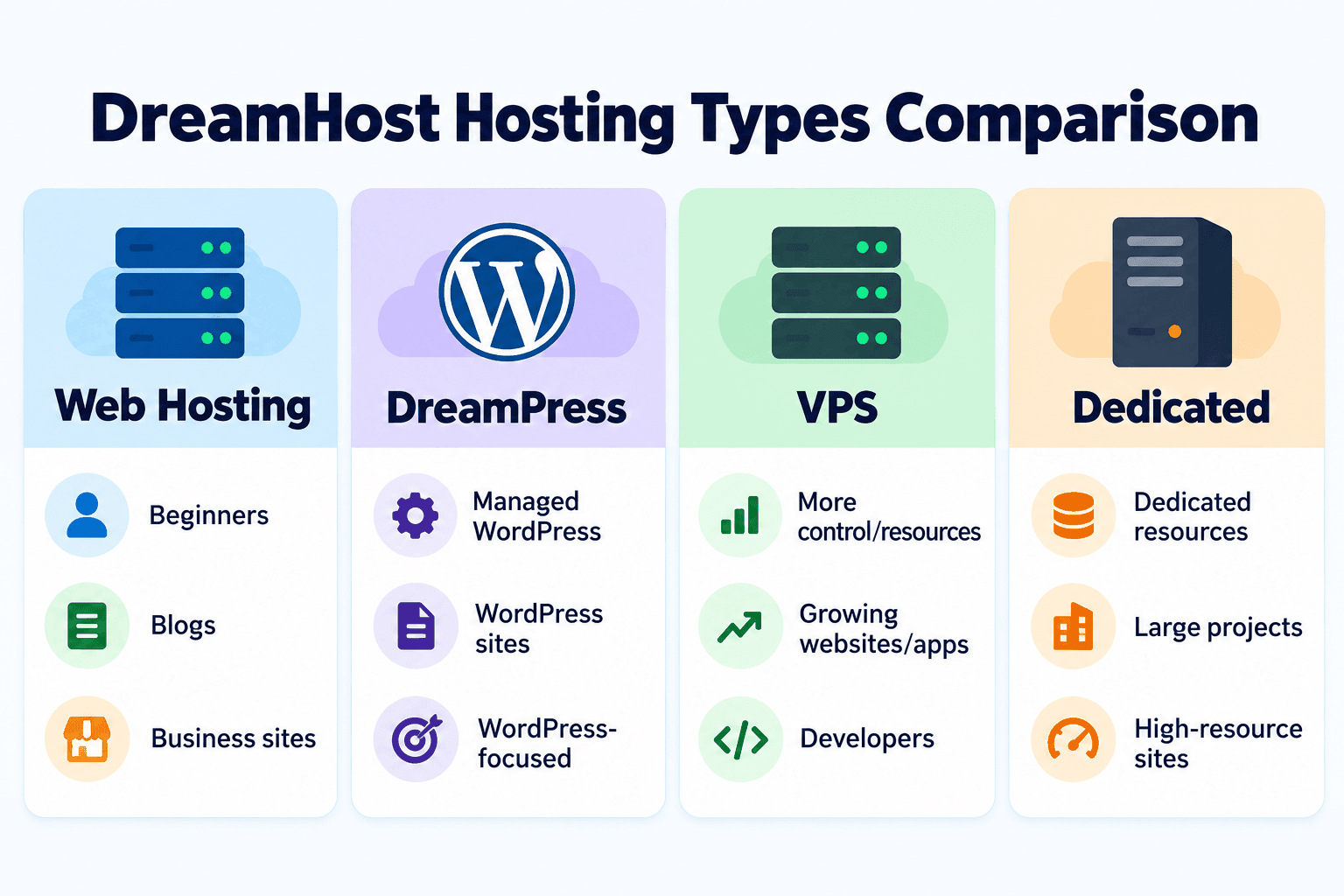
DreamHost provides several different types of hosting. The right one depends on the type of website you are creating, how much traffic you expect, and how much technical control you need.
DreamHost Web Hosting
DreamHost web hosting is the most straightforward option for many beginners. It can be used for:
- WordPress websites
- Blogs
- Small-business websites
- Personal websites
- Portfolio websites
- Content websites
If you are building your first website and do not already know that you need a VPS or dedicated server, standard web hosting is usually the more logical place to begin.
DreamPress Managed WordPress Hosting
DreamPress is DreamHost’s managed WordPress hosting service. It is designed specifically for WordPress websites and provides a more WordPress-focused hosting environment than standard web hosting.
DreamPress may make sense if WordPress is central to your website and you want more of the hosting environment managed for you.
DreamHost VPS Hosting
VPS stands for Virtual Private Server. A VPS provides a more isolated hosting environment and greater server resources than entry-level hosting.
VPS hosting may be useful for websites that have outgrown basic hosting or need additional resources, flexibility, or control.
DreamHost offers options aimed at both website owners and more technically experienced users, so make sure you understand whether the VPS product you are considering is managed or self-managed.
Self-Managed VPS Hosting
A self-managed VPS gives experienced users significantly more control over the server. This type of hosting can be used for:
- Web applications
- Development environments
- APIs
- Docker workloads
- Linux applications
- Custom server configurations
A self-managed VPS is generally not the best starting point for someone simply trying to launch their first WordPress website. You are responsible for considerably more of the server administration.
Dedicated Server Hosting
Dedicated hosting gives your project dedicated server resources rather than sharing the server environment with other hosting customers. Dedicated hosting is generally intended for larger, resource-intensive, high-traffic, or specialized projects.
Most beginners do not need a dedicated server.
How Much Does DreamHost Cost?
DreamHost pricing depends on:
- The hosting product
- Your billing term
- The introductory promotion
- Renewal pricing
- The number of websites
- Storage
- Server resources
- Additional services
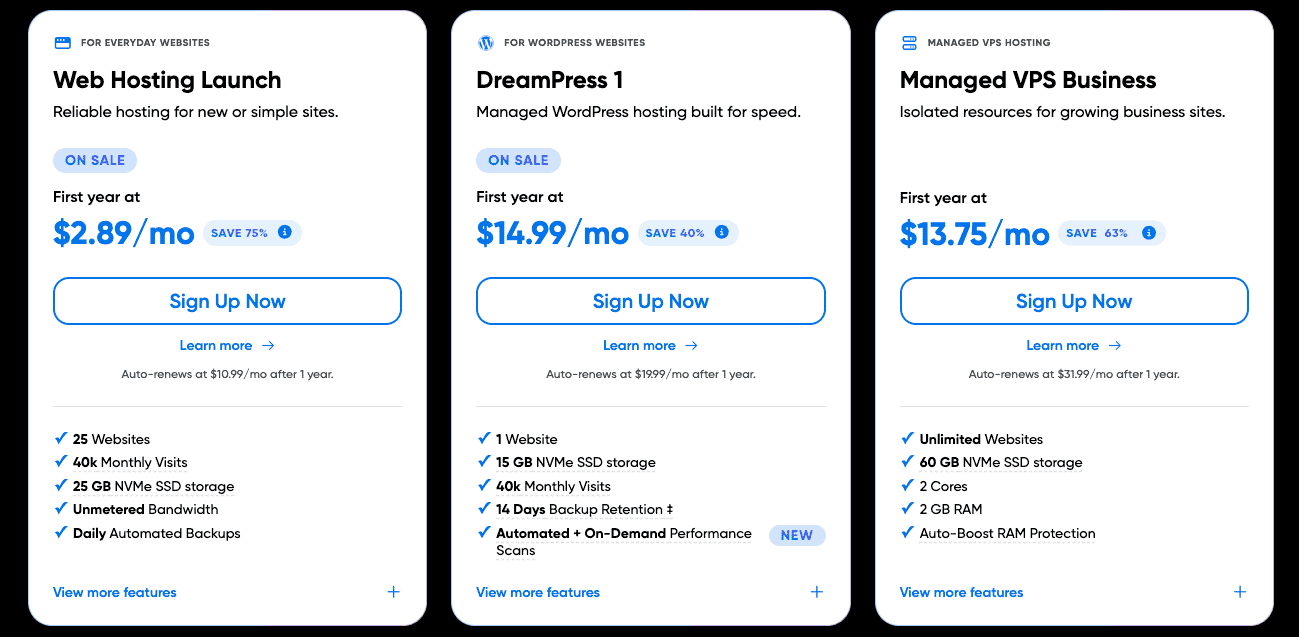
When comparing DreamHost plans, do not look only at the advertised monthly equivalent. Check:
- How much you pay today
- The length of the initial term
- The renewal price
- How many websites are included
- Storage limits
- Email availability
- Domain registration
- Backups
- Support
- Any additional services you need
You can also check DreamHost’s current prices and promotions here.
If you specifically want to pay month-to-month rather than committing to a longer hosting term, read my DreamHost monthly plan guide.
Where Are DreamHost Servers Located?
DreamHost operates data center infrastructure in multiple regions. Your server location can matter because your website’s origin server still needs to communicate with visitors across a network.
However, the complete list of DreamHost data centers does not automatically mean every location is available for every DreamHost product. Your actual hosting location depends on the service you purchase and the server assigned to your account.
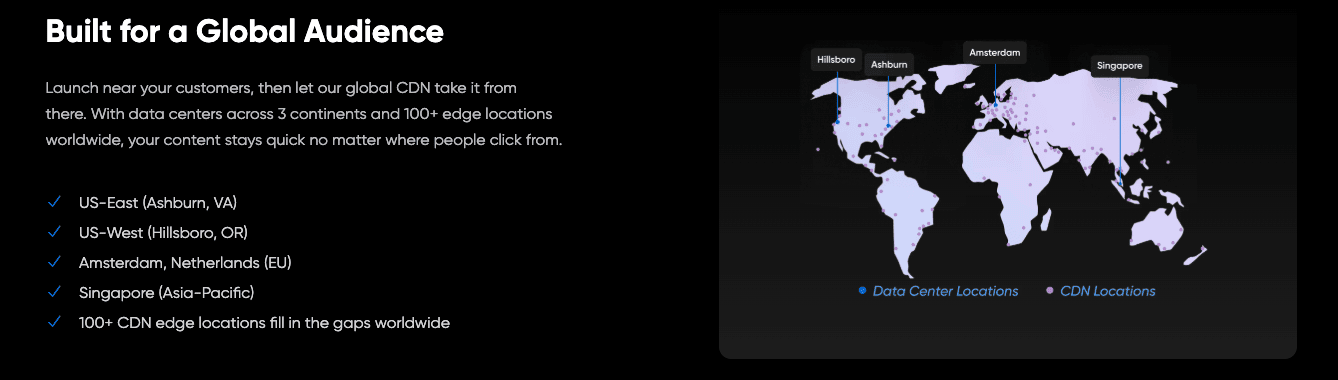
I cover DreamHost’s locations, how to find your own server, VPS and cloud locations, and how web and database server locations work in my DreamHost server locations guide.
What Are the Advantages of DreamHost?
One advantage of DreamHost is that it provides several levels of hosting under the same company. A beginner can start with traditional website hosting while larger or more technical projects can move toward managed WordPress, VPS, or dedicated hosting.
Potential advantages include:
- WordPress hosting
- Managed WordPress through DreamPress
- Domain registration
- Professional email options
- SSL support
- Backup features
- Monthly billing options
- Longer-term billing options
- VPS hosting
- Dedicated hosting
- Developer-focused hosting options
- A custom DreamHost control panel
This gives users room to choose a hosting product based on their actual technical requirements.
What Are the Disadvantages of DreamHost?
DreamHost is not automatically the best hosting provider for every website. Consider the following before signing up:
- DreamHost uses its own control panel instead of cPanel.
- Features differ considerably between hosting products.
- Not every server location is available for every product.
- Self-managed hosting requires more technical knowledge.
- The lowest promotional pricing may require a longer billing term.
- Renewal pricing can be higher than introductory pricing.
- Ecommerce sites may require more resources than a basic hosting plan provides.
The specific DreamHost plan you choose matters just as much as choosing DreamHost itself.
Who Is DreamHost Best For?
DreamHost may be a good fit if you want to:
- Start a WordPress website
- Start a blog
- Build a business website
- Host a portfolio
- Create a content-focused website
- Register a domain
- Use professional email
- Build an ecommerce website
- Use managed WordPress hosting
- Scale to VPS hosting later
- Use dedicated hosting for a larger project
- Run development workloads on a VPS
For a beginner, I would normally start by identifying the type of website you want to create and then choosing the simplest plan that meets those requirements.
Who Might Want a Different Hosting Provider?
You may want to compare other hosting companies if you specifically need:
- cPanel
- A server location unavailable for your chosen DreamHost service
- A completely managed website-building platform instead of traditional hosting
- Specialized infrastructure DreamHost does not provide
- A different pricing structure
- A feature that is unavailable on the DreamHost plan you are considering
The important thing is to compare hosting based on what your particular website requires.
How to Choose a DreamHost Plan
Before selecting a DreamHost plan, answer these questions.
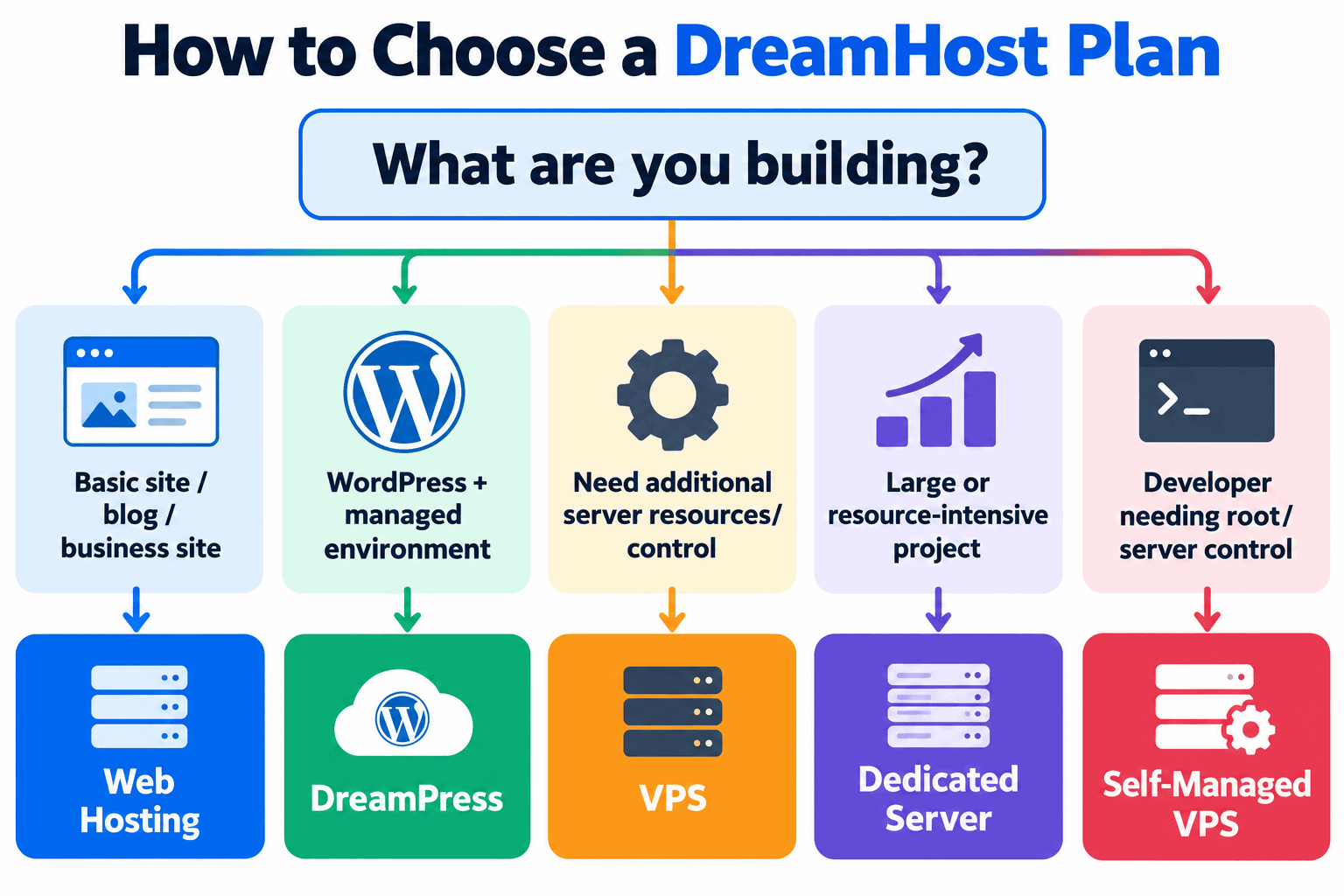
1. What Are You Building?
Are you creating:
- A blog?
- A business website?
- A WordPress website?
- An online store?
- A web application?
- Multiple websites?
The answer immediately narrows down the type of hosting you need.
2. Are You Using WordPress?
If WordPress will power your website, compare standard DreamHost hosting with DreamPress. A beginner usually does not need a self-managed server simply to run WordPress.
3. How Many Websites Do You Need?
Check the number of websites supported by the exact plan you are considering. Do not assume every DreamHost plan has the same website limits.
4. How Much Traffic Do You Expect?
A brand-new website has different requirements from an established site receiving substantial traffic. You can usually start smaller and upgrade as the website grows.
5. Do You Need Professional Email?
Check whether email is included with your plan or needs to be purchased separately.
6. Do You Need Server-Level Control?
Most beginners do not. Developers who need root access, custom software, Docker, or specialized server configurations may need a VPS instead.
7. Where Are Your Visitors?
Check the available server locations for the specific DreamHost service you want. My DreamHost server locations guide explains this in more detail.
8. Do You Want Monthly or Long-Term Billing?
Longer billing terms may provide a lower introductory monthly equivalent, but they also require a larger upfront payment.
If flexibility is more important, see my DreamHost monthly hosting guide.
Once you know your requirements, compare the current DreamHost hosting plans.
Does DreamHost Have Black Friday Deals?
DreamHost has offered promotional pricing around Black Friday. The exact discount, pricing, and eligible products can change each year, so you should check the current promotion rather than relying on an older sale.
When the seasonal promotion is available, I track it in my DreamHost Black Friday deal guide.
Outside the Black Friday period, check DreamHost directly for its current hosting promotion.
Frequently Asked Questions
What exactly does DreamHost do?
DreamHost provides hosting and related services that allow websites and applications to be accessible online. Its services include web hosting, WordPress hosting, VPS hosting, dedicated hosting, domain registration, email, and related website tools.
What is DreamHost mainly used for?
DreamHost is mainly used for hosting websites. Common examples include WordPress websites, blogs, business sites, portfolios, ecommerce stores, content websites, and web applications.
Is DreamHost only for WordPress?
No. WordPress is one of DreamHost’s major use cases, but DreamHost can also host other compatible websites and applications. More advanced users can use VPS and dedicated hosting for projects that require greater server control.
Is DreamHost good for beginners?
DreamHost’s standard website and WordPress hosting options are designed to be much easier for beginners than managing a server yourself.
A beginner should generally avoid starting with a self-managed VPS unless they already understand Linux and server administration.
Can I build a website with DreamHost?
Yes. DreamHost provides the hosting infrastructure where you can install a content management system such as WordPress and create a blog, business website, portfolio, online store, or other website.
Is DreamHost a website builder?
DreamHost is primarily a web hosting company rather than simply a website builder. Your hosting account provides the infrastructure for your website, while software such as WordPress provides the system you use to create and manage the site itself.
Can DreamHost host an online store?
Yes. One common option is WordPress with WooCommerce. Because ecommerce websites can require more server resources than simple websites, make sure the hosting product you choose is appropriate for your store.
Can I buy a domain through DreamHost?
Yes. DreamHost provides domain registration services, and qualifying hosting offers may include a free domain registration for the first year.
Does DreamHost offer monthly hosting?
Yes, monthly billing is available for certain DreamHost products. For more details, see my DreamHost monthly plan guide.
Where is my DreamHost website hosted?
The answer depends on the DreamHost service and server assigned to your account. You can check your assigned location from your DreamHost account.
My DreamHost data center and server locations guide shows you where DreamHost’s data centers are located and how to find your own server location.
Final Verdict: What Is DreamHost Used For?
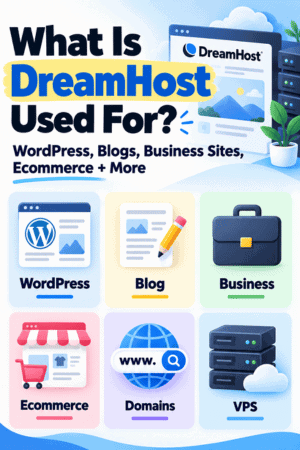
DreamHost is used to host websites, WordPress sites, blogs, business websites, online stores, web applications, and other online projects.
DreamHost also offers domains, professional email, managed WordPress hosting, VPS hosting, and dedicated servers. If you are completely new to web hosting, you probably do not need the most powerful DreamHost product.
Start by deciding what you want to build, how many websites you need, whether you are using WordPress, and how much technical management you want to handle yourself. Then choose the simplest hosting option that meets those requirements.
If you’re ready to compare the current options, view the latest DreamHost plans and discount here.

- Shopify Black Friday Checklist: Prepare Your Store for BFCM 2026 - October 16, 2026
- How to Build a One-Product Shopify Store (Step by Step) - October 16, 2026
- Shopify Product Photography Ideas for Beginners - October 16, 2026


Leave a Reply
Want to join the discussion?Feel free to contribute!