
Shopify Dropshipping: How to Start in 2026 (Step by Step)
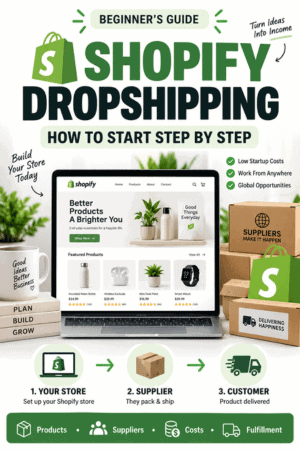
Shopify dropshipping lets you sell physical products without storing or shipping the inventory yourself. When a customer orders from your store, the order goes to a supplier that picks, packs, and ships the product directly to the customer.
The low-inventory model makes a store easier to test, but it does not make the business automatic. You still choose the products, verify the supplier, create the storefront, set prices, attract customers, communicate delivery expectations, handle support, and resolve refunds or damaged orders.
This guide explains how Shopify dropshipping works, how to find products and suppliers, what it realistically costs, how to calculate profit, and how to build and launch the complete store step by step.
Information and Shopify resources were verified October 14, 2026. App availability, features, pricing, eligibility, supplier terms, taxes, and shipping options can change. Confirm the current details before committing money or promising delivery.
Key Takeaways
- Dropshipping removes the need to hold inventory, but it does not remove the seller’s responsibility to the customer.
- Shopify currently supports dropshipping through Shopify Collective, third-party supplier apps, and direct supplier relationships.
- Choose a customer and product problem before choosing products from a supplier catalog.
- Order samples and place complete test orders before advertising a product.
- Calculate profit after supplier cost, shipping, payment expenses, apps, refunds, replacements, chargebacks, and marketing.
- Use original product information and verify every claim instead of publishing a supplier’s listing unchanged.
- Start with a small, related catalog and expand using real conversion, return, support, and delivery data.
What Is Shopify Dropshipping?
Dropshipping is a fulfillment method. Your Shopify store displays and sells the product, but a supplier stores the inventory and sends the item when an order arrives. The customer buys from your brand rather than from the supplier.
Shopify’s official dropshipping documentation describes several versions of the model, including reselling curated supplier products, extending a local retailer’s business online, and combining existing items into a new product offer.
The important distinction is that Shopify supplies the storefront, checkout, product system, order management, and integrations. Shopify does not choose a safe product, guarantee supplier performance, create demand, or take over your customer-service obligations.
For a broader evaluation of the platform before building the business, read my complete Shopify review, which covers its features, pricing, advantages, limitations, and best use cases.
If you are still choosing a platform, compare Shopify vs. WooCommerce for a commerce-focused comparison or Shopify vs. WordPress for the broader website-platform decision.
How Shopify Dropshipping Works
- You choose a product and establish a relationship with a supplier.
- You add the product to Shopify manually or through a connected app.
- You create the product page, set the retail price, and publish the item.
- A customer places an order and pays through your Shopify checkout.
- The order information goes to the supplier automatically or after your approval.
- You pay the supplier for the product and fulfillment.
- The supplier picks, packs, and ships the order directly to the customer.
- Tracking returns to Shopify when the integration supports it.
- You answer the customer and resolve any delay, defect, return, refund, or chargeback.
Shopify notes that fulfillment apps do not all behave the same way. Some dropshipping apps mark items fulfilled automatically when they ship; others require you to order the customer’s items inside the app. Learn the exact workflow before enabling automatic fulfillment.

Three Ways to Dropship With Shopify
1. Shopify Collective
Shopify Collective is Shopify’s built-in product-sourcing network. Eligible retailers can connect with Shopify brands, import products, synchronize information and inventory, and have suppliers fulfill orders. Shopify currently recommends Collective for merchants in the United States, but eligibility and features should be confirmed for your store.
2. A Dropshipping App
A third-party app connects Shopify to a supplier marketplace or network. Depending on the app, you may be able to search products, import listings, synchronize inventory, send orders, receive tracking, map variants, and manage several suppliers.
Convenience creates competition because other stores can access the same products. The app also becomes another system that can change pricing, permissions, product availability, or functionality.
3. A Direct Supplier Relationship
You can partner with a manufacturer, wholesaler, distributor, or local business outside a marketplace app. This route can support a more differentiated catalog and closer communication, but you may need to exchange orders through a feed, email, custom app, or fulfillment service.
| Method | Useful For | Main Tradeoff |
|---|---|---|
| Shopify Collective | Connecting with participating Shopify brands | Eligibility, supplier access, and features vary |
| Dropshipping app | Fast access to supplier catalogs and automation | Competition, app cost, and variable supplier quality |
| Direct supplier | Building a differentiated supplier relationship | More verification and operational setup |
Shopify Dropshipping vs. Print on Demand
Traditional dropshipping normally means reselling an existing supplier product. Print on demand applies your design to an item that is produced only after it sells. Both models reduce inventory risk and rely on a fulfillment partner, but the product strategy is different.
| Model | Product | Differentiation | Primary Risk |
|---|---|---|---|
| Traditional dropshipping | Existing supplier product | Selection, brand, content, offer, and service | Many sellers can list the same item |
| Print on demand | Blank product customized with your design | Original artwork, audience, and brand | Print quality, design rights, and unit cost |
| Held inventory | Products purchased or produced in advance | Greater control over product and packaging | Capital tied up in unsold stock |

If customization is central to the idea, use the complete Shopify print-on-demand guide instead. It covers artwork, provider selection, samples, pricing, and production-specific issues in greater detail.

Digital products provide another low-inventory option because there is no physical supplier or shipment, but the files, delivery system, licensing terms, and customer support still need to be planned. Follow my guide to selling digital products on Shopify for the complete process.
Shopify Dropshipping Pros and Cons
| Advantages | Disadvantages |
|---|---|
| No large inventory purchase before testing demand | Less control over inventory and fulfillment |
| No warehouse or daily packing process | Supplier errors become your customer-service problem |
| Products can be added or removed relatively quickly | Competitors may sell identical products |
| Supplier apps can synchronize orders and tracking | Apps, feeds, and supplier data can fail or change |
| Several product categories can be tested | Large unfocused catalogs weaken the brand |
| Operations can be managed from different locations | Cross-border shipping, taxes, and returns add complexity |
The model is strongest when it gives you a lower-risk way to validate a focused offer. It is weakest when the store simply copies popular products, descriptions, and advertisements without providing a reason to buy from that business.
Is Shopify Dropshipping Profitable?
Shopify dropshipping can be profitable, but revenue is not profit. A product can have a large markup and still lose money after shipping, payment processing, apps, replacements, refunds, chargebacks, discounts, taxes that are the seller’s expense, and customer-acquisition costs.
Use contribution per order as an operating measure:
Contribution per order = selling price − supplier product cost − supplier shipping − payment expenses − variable app costs − returns and replacement allowance − marketing cost
| Example Item | Amount |
|---|---|
| Selling price | $49.00 |
| Supplier product cost | − $18.00 |
| Supplier shipping | − $7.00 |
| Payment expense | − $1.75 |
| App allocation | − $1.00 |
| Return or replacement allowance | − $2.00 |
| Marketing cost | − $10.00 |
| Example contribution per order | $9.25 |
This is a simplified example, not a profit promise. Fixed expenses, taxes, labor, software, customer support, discounts, fraud, currency conversion, and other costs can reduce the final result. Replace every number with an amount verified for your products, customers, payment setup, and suppliers.

How Much Does Shopify Dropshipping Cost?
Dropshipping can reduce the money needed for inventory, but starting responsibly is not free. Budget for the parts that let you verify and operate the store:
- Shopify subscription after the promotional period
- Domain registration
- Product samples and test orders
- Dropshipping app or supplier membership, when applicable
- Payment-processing and transaction expenses
- Business registration, tax, accounting, insurance, and professional advice
- Original product photography, video, copy, and brand assets
- Marketing and customer acquisition
- Refunds, returns, replacements, chargebacks, and an operating reserve
Review the current Shopify pricing guide before choosing a plan or annual commitment. Supplier and app fees are separate from the Shopify subscription.
How to Start Shopify Dropshipping Step by Step
1. Choose a Customer and Problem
Do not begin by importing a hundred products. Define the customer, what they need, why current options disappoint them, and what your store can do better. A store for “home products” is vague. A store that helps renters organize small kitchens gives you a clearer product filter and content strategy.
Study search results, product reviews, communities, support questions, and competitor policies. Look for repeated problems involving size, installation, compatibility, durability, confusing instructions, slow shipping, or poor support.
If the business is still only an idea, follow the broader how to start an online store guide first. It covers validation, startup costs, margins, fulfillment, and launch planning beyond dropshipping.
2. Create a Product Evaluation Standard
Before committing to a dropshipping catalog, compare the idea with other possible product models and evaluate demand, differentiation, margin, shipping, and support requirements. My Shopify product-ideas guide includes 30 options and a structured validation process.
A useful product is not automatically a good dropshipping product. Evaluate each candidate using the same questions:
- Does it solve a clear problem or support a strong interest?
- Can the benefit be demonstrated honestly in photos or video?
- Is the delivered cost low enough to leave a sustainable margin?
- Is it fragile, oversized, hazardous, age-restricted, ingestible, medical, electrical, or otherwise regulated?
- Could sizing, compatibility, installation, or color cause frequent returns?
- Can the supplier maintain inventory and ship to the target market?
- Can customers easily find the exact same item at a lower price?
- Can the store create a better bundle, guide, warranty, content experience, or level of support?
For a first store, avoid products whose safety, labeling, claims, intellectual property, import requirements, or liability you do not understand.
3. Choose a Sourcing Method
Decide whether Shopify Collective, a supplier app, or a direct relationship fits the catalog. Compare the actual products and destination countries rather than choosing an entire platform from a feature list.
Shopify’s current dropshipping guide identifies all three methods. Availability and eligibility can change, so verify the current requirements inside Shopify and with the supplier.
4. Verify the Supplier
The supplier is part of the customer experience even when its name never appears on your website. Review:
- Legal business identity and verifiable contact information
- Product expertise and quality-control process
- Inventory updates and out-of-stock handling
- Order cutoff and average processing time
- Warehouse and return locations
- Shipping services, tracking, duties, and destination coverage
- Neutral or branded packaging options
- Cancellation, return, refund, loss, and damage policies
- Support response time and escalation procedure
- Product documentation, safety information, and compliance records
- App permissions, security practices, data handling, and contract terms
Use Shopify’s official supplier-selection guidance as a starting point, then perform your own verification. Reviews help identify patterns, but they do not replace samples, test orders, written terms, and direct communication.
5. Order Samples From the Customer’s Market
Order every product you intend to promote heavily. When possible, send a test to the same country or region as the target customer so you can evaluate the real route.
- Processing time before the carrier receives the package
- Tracking accuracy and carrier handoffs
- Total delivery time
- Packaging, inserts, labels, and supplier branding
- Product quality, measurements, materials, finish, and instructions
- Damage or leakage during shipping
- Whether the delivered item matches the supplier listing
- How the supplier handles a realistic support problem
Create original photos and video from the sample. Supplier media is often shared by many stores and may not show the exact version your customer receives.
6. Calculate the Complete Delivered Cost
Record the product cost, per-order fee, domestic and international shipping, taxes or duties charged to you, currency conversion, app expense, payment expense, replacement allowance, refund exposure, and marketing cost.
Test the margin under normal conditions and under stress: a discount, higher ad cost, reshipment, supplier price increase, or split shipment. If one routine problem removes the entire margin, the product is not ready to scale.

7. Build the Shopify Store
Use the step-by-step Shopify store tutorial to create the account, choose a theme, organize products, configure navigation, connect the domain, and set up payments and shipping.
When you are ready to build alongside the tutorial, create your Shopify account and keep the storefront protected until the supplier workflow and complete customer experience have been tested.
Shopify’s AI tools can create a visual starting point, but they do not verify products, suppliers, claims, margins, delivery estimates, policies, or the fulfillment workflow. The Shopify AI Store Builder review explains which parts still require manual work.
8. Connect the Dropshipping App Carefully
Review the app’s developer, pricing, permissions, trial terms, billing cycle, data access, order approval, inventory behavior, product updates, fulfillment notifications, tracking, shipping settings, and uninstall process.
Use manual approval during setup when possible. It gives you time to confirm the address, product, variant, price, shipping method, inventory, and supplier charge before the order is submitted. Turn on greater automation only after repeated tests work correctly.
9. Rewrite Every Product Page
Replace generic supplier images whenever possible with original photographs or demonstrations that accurately show the product, scale, and real-world use. My Shopify product-photography guide covers the essential shots, affordable equipment, editing, and image optimization.
Shopify specifically advises sellers not to rely on imported supplier descriptions and images. Create a useful product page containing:
- A clear product title without supplier codes or keyword stuffing
- An original explanation of who the product is for and what problem it solves
- Accurate materials, dimensions, compatibility, care, and included items
- Original or verified product photos and video
- Realistic processing and delivery estimates
- Safety, installation, age, warranty, or usage information when relevant
- A visible return and support path
Study the best Shopify store examples for practical lessons about navigation, product photography, trust, mobile design, and product-page clarity. Use the principles without copying another brand’s assets or design.

10. Configure Shipping, Taxes, Returns, and Support
Separate processing time from carrier transit time. State the destinations you serve, expected delivery range, possible split shipments, tracking method, duties, address-change deadline, cancellation process, return window, exclusions, return location, refund method, and response time.
Do not copy the supplier’s policy as your customer policy without checking the gaps. A supplier may replace only defective items while your store promises broad returns. The seller must fund and manage the difference.
Tax, customs, privacy, product-safety, registration, and consumer requirements depend on where the business, supplier, and customers are located. Shopify notes that cross-border dropshipping can create VAT, customs, and other regional obligations. Use qualified legal, tax, and accounting professionals where appropriate.
11. Place Complete Test Orders
Test more than the checkout screen. Follow an order through payment, supplier submission, supplier acceptance, fulfillment, tracking, notification, delivery, cancellation, refund, and customer communication.
- Confirm every variant maps to the correct supplier item.
- Compare the supplier charge with your cost calculation.
- Check inventory synchronization and out-of-stock behavior.
- Confirm shipping rates and estimates on desktop and mobile.
- Read every email and tracking update as a customer.
- Test a failed fulfillment, address problem, cancellation, and refund procedure.
- Verify analytics and campaign tracking.
Before removing the storefront password, work through the complete Shopify store launch checklist to verify the rest of the buying and support experience.
12. Launch to a Controlled Audience
Launch with a manageable number of products and enough reserve to cover supplier charges and customer problems. Begin with an audience size your support process can handle. Watch conversion, add-to-cart behavior, delivery, returns, support volume, refund rate, contribution per order, and repeat purchase—not only traffic and revenue.
Use my Shopify first-sale guide to refine the offer, improve the product page, reach a qualified audience, plan outreach, and measure the complete sales funnel after launch.
How to Choose a Shopify Dropshipping Supplier
Do not choose a supplier only because it has the lowest catalog price. The cheapest supplier can become the most expensive after slow delivery, lost packages, defects, refunds, and support time.
| Area | What to Verify |
|---|---|
| Product | Materials, construction, measurements, claims, certification, and consistency |
| Inventory | Update frequency, stock reservations, substitutions, and discontinuations |
| Processing | Normal and peak-season handling time |
| Shipping | Countries, carriers, tracking, delivery record, duties, and lost-package process |
| Packaging | Supplier branding, invoices, inserts, and protection |
| Returns | Return location, authorization, fees, defects, and customer remorse |
| Technology | Shopify connection, product mapping, inventory sync, and fulfillment updates |
| Support | Response time, contact channels, escalation, and documentation |
| Continuity | Backup products, warehouses, suppliers, and outage procedure |
Keep a second approved supplier or replacement product when a product becomes important to the store. Do not automatically switch suppliers without sampling the new version and updating the product page.
Shopify Dropshipping Apps to Research
Shopify’s current recommended-app page identifies Shopify Collective, DropCommerce, Dropship: EU & US Dropshipping, and Syncee as dropshipping options. Shopify’s 2026 dropshipping guide also discusses DSers for sourcing from AliExpress. These are research starting points, not a ranking or guarantee.
| App or Network | Potential Starting Use | Verify Before Installing |
|---|---|---|
| Shopify Collective | Products from participating Shopify brands | Eligibility, supplier access, margins, returns, and country support |
| DropCommerce | North American supplier marketplace | Exact product availability, costs, delivery, and supplier terms |
| Dropship: EU & US Dropshipping | U.S. and European supplier access | Destination coverage, product claims, tracking, and returns |
| Syncee | Marketplace with suppliers across multiple regions | Supplier-level quality, synchronization, pricing, and shipping |
| DSers | AliExpress-related sourcing and order tools | Selected supplier, shipping route, product consistency, and total delivery time |
Use the official Shopify dropshipping app recommendations and current App Store listings to verify availability, developer identity, pricing, reviews, permissions, and support. A familiar app name does not make every supplier or product inside it reliable.
Is Shopify Dropshipping Legal?
Dropshipping is a legal fulfillment model, but the business can still violate product-safety, intellectual-property, advertising, privacy, tax, customs, licensing, sanctions, and consumer-protection requirements. The supplier does not absorb the retailer’s legal responsibility merely because it ships the item.
Shopify’s current legal overview warns sellers against misleading customers, selling counterfeit or unsafe goods, and ignoring tax and platform rules. Confirm who owns product images, trademarks, patents, designs, packaging, instructions, and advertising claims.
For U.S. internet orders, the Federal Trade Commission says sellers need a reasonable basis to ship within the advertised time—or within 30 days when no time is stated. When the seller cannot ship on time, the rule generally requires consent to the delay or a refund for the unshipped merchandise. Read the official FTC rule summary and obtain professional advice for the laws that apply to your business.
How to Market a Shopify Dropshipping Store
Do not depend on one advertisement or viral post. Build a channel mix around the customer’s buying process:
- SEO: Answer product, comparison, compatibility, installation, and problem-solving searches.
- Pinterest: Use original vertical visuals for products connected to planning, style, hobbies, homes, gifts, and projects.
- Short-form video: Demonstrate the product, dimensions, use, limitations, and real result.
- Creators: Work with people whose audience and content match the product instead of buying generic exposure.
- Email: Build permission-based follow-up for education, launches, restocks, and post-purchase support.
- Partnerships: Connect with complementary businesses, communities, newsletters, and organizations.
- Paid advertising: Scale only after the page, product, fulfillment, tracking, and unit economics are proven.
Create content from real samples. Show what the product does, who it does not suit, how large it is, what arrives, and how it performs. Accurate content reduces uncertainty and can reduce avoidable returns.
For the complete organic-search process, follow my Shopify SEO guide for beginners to research keywords, improve product and collection pages, strengthen internal links, complete technical checks, and measure results.

Common Shopify Dropshipping Mistakes
Importing Too Many Unrelated Products
A giant catalog creates more listings, mappings, inventory changes, support questions, and supplier dependencies. Begin with products that serve one recognizable customer and can be explained by one brand.
Publishing Supplier Content Unchanged
Copied descriptions can include inaccurate claims, awkward language, missing dimensions, supplier codes, or information used by many competing stores. Verify the product and write for the customer.
Skipping Samples and Test Orders
A mockup or supplier photo does not reveal packaging, tracking, carrier handoffs, instructions, or the complete delivery experience. Testing is part of product development.
Advertising Before the Numbers Work
Advertising can multiply a weak margin and create more customer problems at once. Know the maximum affordable acquisition cost and keep room for routine refunds and replacements.
Promising the Best-Case Delivery Time
Supplier processing, carrier transit, customs, peak seasons, weather, and address problems can all affect delivery. Publish a reasonable estimate supported by evidence and create a delay-notification process.
Treating Automation as Supervision
Inventory, price, product mapping, fulfillment, and tracking automation still need monitoring. Assign a person to exceptions rather than assuming the app will resolve them.
Using Revenue as the Success Metric
Track contribution per order, refund rate, defect rate, delivery performance, chargebacks, support time, and repeat customers. Revenue can rise while cash and profit decline.
Before launching, review the complete Shopify mistakes to avoid guide for additional checks involving products, design, apps, checkout, shipping, SEO, mobile usability, and ongoing maintenance.
Shopify Dropshipping Cash Flow
A customer may pay the store today while the supplier charges your card or balance immediately and Shopify’s payout arrives later. Refunds, reserves, payment holds, weekends, currency conversion, and chargebacks can widen the gap.
- Keep an operating reserve separate from revenue.
- Know when the supplier charges and when Shopify payouts normally arrive.
- Set alerts for failed supplier payments and declined fulfillment requests.
- Reconcile Shopify orders, supplier orders, tracking, refunds, and bank activity.
- Do not spend customer funds before the order and refund exposure are understood.
Payment and payout timing varies by payment method, account, country, app, and supplier. Verify the current timing for your setup instead of building the business around an assumed schedule.

Before promoting dropshipped products during BFCM, use my Shopify Black Friday checklist to review margins, supplier capacity, shipping promises, checkout, and customer support.
Shopify Dropshipping FAQs
Is Shopify good for dropshipping?
Yes. Shopify provides the storefront, checkout, product management, order tools, themes, analytics, and app ecosystem needed to connect a store with dropshipping suppliers. The business still needs a viable product, dependable supplier, sustainable margin, accurate delivery promise, and customer-acquisition plan.
Can I start Shopify dropshipping for free?
You can research products and begin building during a promotional trial, but a responsible operating store has costs. Expect a Shopify plan after the trial, domain, samples, supplier charges, payment expenses, marketing, returns, and business requirements. Read the Shopify free trial guide before activating the trial so you are ready to use the available time.
Do I need a business license for Shopify dropshipping?
Requirements depend on the business structure, products, and locations where you operate, source, and sell. Shopify does not replace local registration, tax, licensing, product-safety, or insurance requirements. Ask qualified local professionals what applies to your business.
Do I need to buy inventory before selling?
No. In a dropshipping model, the supplier holds the inventory and you normally purchase the item after a customer orders. You should still purchase samples and keep enough operating cash to pay suppliers before customer payouts arrive.
Can I use Shopify and Etsy for dropshipping?
The platforms have different purposes and product rules. Etsy restricts what can be sold and has specific standards for items made, designed, handpicked, or sourced by sellers. Review the current rules and the Shopify vs. Etsy comparison before choosing either channel.
How many products should a new dropshipping store have?
There is no required number. Start with a small related collection you can sample, photograph, describe, price, test, and support. Add products when data shows they strengthen the customer offer rather than merely enlarging the catalog.
How long does it take to start a Shopify dropshipping store?
A basic storefront can be assembled quickly, but supplier verification, samples, original content, policies, test orders, and legal requirements take longer. Plan around completing the buying and fulfillment experience—not an arbitrary launch date.
Can Shopify dropshipping be passive income?
No store is automatically passive. Apps can reduce repetitive product and fulfillment work, but someone must monitor suppliers, inventory, prices, orders, tracking, support, returns, chargebacks, content, advertising, and compliance.
What happens when a supplier runs out of stock?
Pause the item, contact affected customers when necessary, and offer an honest choice supported by your policies. Never silently replace the ordered product with a different version. Sample and approve any backup supplier before using it.
Final Verdict
Shopify dropshipping is a practical way to test physical products without buying bulk inventory first. Shopify handles the ecommerce foundation well, while supplier apps and networks can reduce manual fulfillment work. The cost of that convenience is less control over the product and delivery.
The strongest approach is to choose one customer, build a small related collection, verify suppliers, order samples, calculate every variable cost, write original product pages, publish honest shipping terms, and test the complete order process before increasing traffic.
When you are prepared to work through those steps, start Shopify and build the dropshipping store. Keep the storefront protected until the products, checkout, supplier workflow, policies, and customer support have all been tested.
If you want to test a single flagship dropshipping product, use my one-product Shopify store guide to validate the offer, calculate profit, build focused pages, and test the complete customer journey.