
Shopify AI Store Builder Review 2026: Is It Worth It?
Shopify’s AI Store Builder is one of the fastest ways to move from a business idea to a usable ecommerce design. You describe the brand in a short prompt, Shopify generates three personalized store designs, and you choose one to customize with the regular theme editor.
The tool is useful, but the phrase “AI store builder” can create the wrong expectation. It gives you a strong visual starting point. It does not finish the product catalog, verify generated claims, configure payments and shipping, write accurate policies, connect the domain, test checkout, or bring customers to the website.
My verdict is that Shopify’s AI Store Builder is worth using—especially because the design-generation feature is included with Shopify—but it should be treated as the first stage of a store build, not a replacement for the complete launch process.
Key Takeaways
- The AI Store Builder creates three personalized Shopify store designs from a short description of the business.
- It is designed to eliminate the blank page and help beginners get to a professional starting layout quickly.
- The generated design can be customized with Shopify’s theme editor, sections, blocks, colors, fonts, images, and supported code tools.
- Shopify Magic and Sidekick extend AI assistance to content, images, theme blocks, analysis, and supported store-management tasks.
- You still need to add or verify products, collections, navigation, payments, shipping, taxes, policies, domain settings, and test orders.
- The builder is included, but publishing and operating the store requires an eligible Shopify plan.
- The best results come from a specific prompt followed by careful manual editing and real product imagery.
Prefer to watch? This Shopify AI Store Builder video shows how to generate a store design with AI, customize the result, add products, edit your pages, and prepare the store for publishing.

Features and pricing verified October 14, 2026. Shopify can change availability, usage limits, plan features, and promotions. Test the current experience on Shopify’s official AI Store Builder.
Shopify AI Store Builder Rating
| Category | WP Cupid Rating | Summary |
|---|---|---|
| Setup speed | 4.9/5 | Creates three store-design directions in seconds |
| Ease of use | 4.8/5 | A short prompt is enough to begin |
| Generated design quality | 4.4/5 | Strong starting layouts that still need brand-specific editing |
| Customization | 4.6/5 | Uses Shopify’s theme editor, sections, blocks, and code options |
| Store completeness | 3.9/5 | Design generation does not complete every launch task |
| Value | 4.8/5 | Included with Shopify and can reduce initial design time |
| Overall | 4.6/5 | Excellent starting tool when its limits are understood |
The lower store-completeness score is intentional. The AI builder is highly effective at generating a design direction, but a publish-ready ecommerce business requires accurate products, trustworthy content, operational settings, policies, and quality assurance that go beyond visual theme generation.
What Is the Shopify AI Store Builder?
The Shopify AI Store Builder is a prompt-based design generator built into Shopify’s store-creation experience. You enter a description of the business or products, and Shopify generates three custom store designs intended to match the idea. You select a direction and continue editing it as a Shopify theme.
This is different from asking a general AI chatbot for website code. The generated design sits inside Shopify, where it can use Shopify’s product system, checkout, payments, inventory, hosting, security, analytics, sales channels, apps, and theme editor.
It is also different from installing a third-party AI page-builder app. Shopify’s native builder is part of the core platform. Third-party apps may offer specialized landing pages, product imports, conversion elements, or additional generation credits, but they can add cost and another layer of software to manage.

How the Shopify AI Store Builder Works
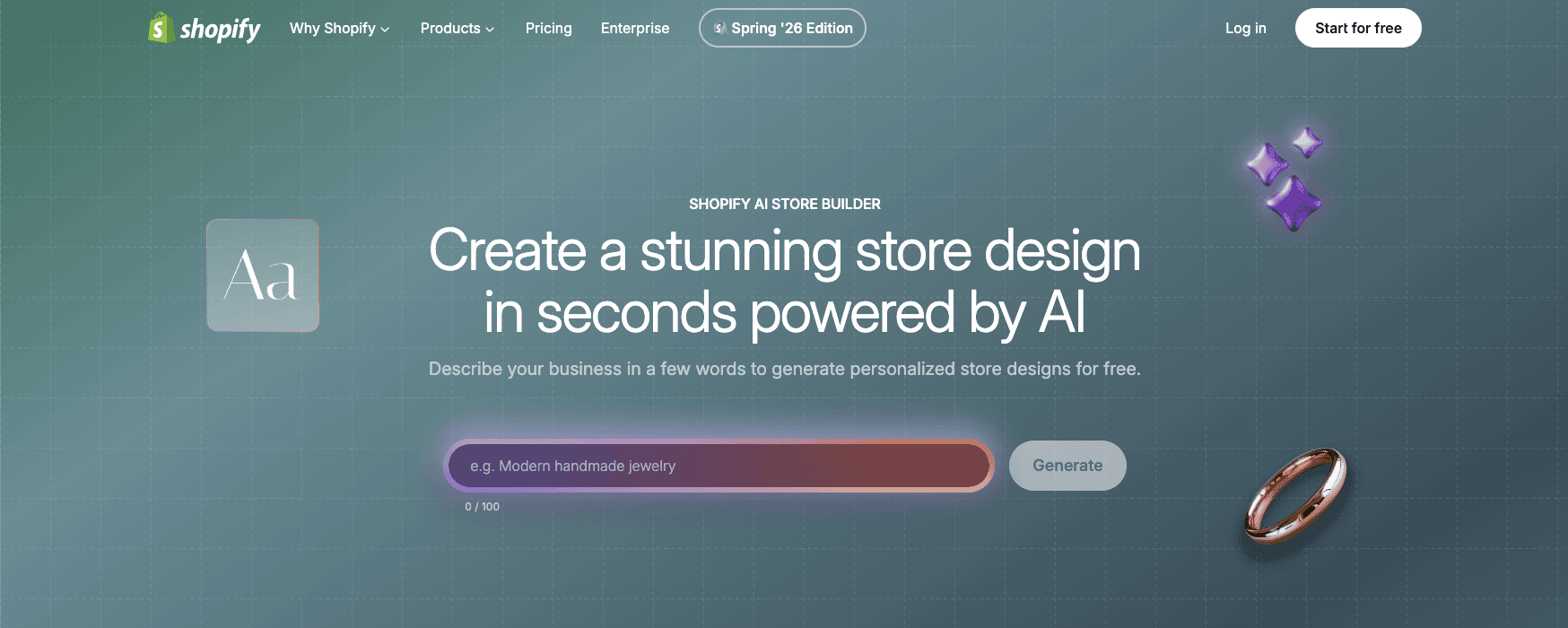
- Open Shopify’s AI Store Builder and describe the business in a short prompt.
- Include the product type, target customer, visual style, mood, and important brand qualities.
- Generate three personalized store-design options.
- Compare the layouts, typography, colors, imagery, and overall direction.
- Select the best starting design and add it to the Shopify store.
- Customize sections, blocks, navigation, pages, product areas, fonts, colors, images, and content.
- Complete products, collections, payments, shipping, taxes, policies, domain, and testing before launch.
A vague prompt such as “make an online store” gives the tool little direction. A better prompt identifies what is being sold and how the brand should feel. For example: “Create a clean, premium skincare store for busy professionals, using warm neutral colors, large product photography, simple typography, and an educational homepage.”
Keep the first prompt focused on the visual and commercial direction. Do not expect it to contain every policy, product specification, or keyword. Those details should be added and verified after selecting the design.
What Does the AI Store Builder Create?
The builder creates a personalized theme direction rather than simply showing a generic template library. The generated options can include a homepage structure, colors, typography, imagery, written placeholders, and ecommerce-focused sections that reflect the prompt.
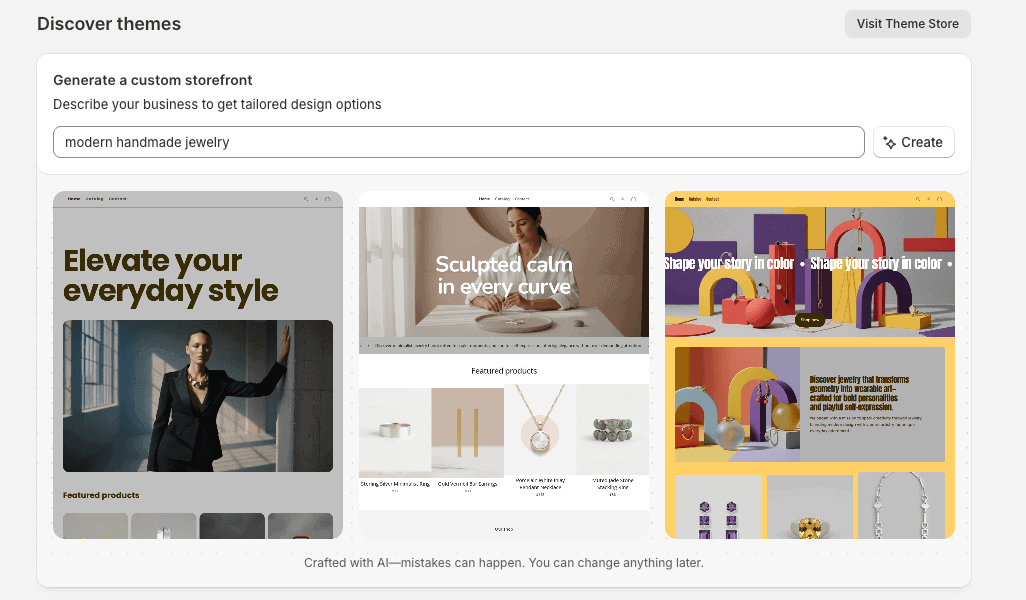
Starting with three options is helpful because design decisions are easier when you can compare complete directions. One version may have the right layout but the wrong color palette; another may have stronger typography or product emphasis. Choose the structure that would be hardest to recreate manually, because colors, images, and text are easier to change later.
The generated theme can then use Shopify’s standard commerce foundation. You can add products and collections, connect menus, feature promotions, publish pages, and use the theme editor to adjust the storefront.
What the AI Store Builder Does Not Finish
The AI builder does not decide which product has real demand, workable margins, or a defensible reason to buy. My 30 product ideas to sell on Shopify helps beginners compare business models, sourcing options, and validation methods before generating the storefront.
The generated storefront also does not replace original product photography. Use my Shopify product-photography guide to plan the images, angles, detail shots, scale references, editing, and optimization needed for trustworthy product pages.
The biggest mistake is assuming that a generated design equals a finished business. Before publishing, use the complete Shopify store launch checklist and make sure you have completed or verified:
- Real product titles, descriptions, prices, variants, inventory, and images
- Collections, filters, menus, search, and navigation
- Brand logo, colors, fonts, voice, and original media
- Payment-provider eligibility and payout information
- Shipping zones, rates, packages, delivery estimates, and returns
- Tax settings and business registrations
- Privacy, refund, shipping, terms, contact, and other required policies
- Custom domain, business email, notifications, and sender authentication
- Mobile layout, accessibility, SEO, analytics, and performance checks
- Test orders, refunds, discounts, taxes, shipping, and notification emails
This is not a weakness unique to Shopify. No AI builder can safely make every legal, financial, product, fulfillment, and marketing decision for a real business. Shopify’s value is getting the storefront design moving quickly so the owner can spend more time on the parts that require judgment.
Before publishing an AI-generated storefront, review the complete Shopify mistakes to avoid guide to catch problems involving product content, navigation, apps, checkout, shipping, mobile usability, and store maintenance.
If the AI-generated storefront will sell made-to-order products, use my Shopify print-on-demand guide to choose a provider, connect the app, price products, order samples, and prepare the fulfillment process.
The AI builder handles only one part of launching an ecommerce business. For the complete process—from validating an idea and calculating costs to choosing products, planning fulfillment, building the storefront, testing checkout, and attracting customers—follow this guide on how to start an online store.
If the generated storefront will sell downloadable products, use my guide to selling digital products on Shopify to configure the files, delivery method, pricing, product pages, policies, and test orders that the AI-generated design does not complete.
Design Quality and Customization
The AI-generated designs are polished enough to become real storefronts, but they are starting points. The most common signs of an unfinished AI site are generic hero text, interchangeable stock-style imagery, repeated section patterns, weak product differentiation, and claims that do not match the business.
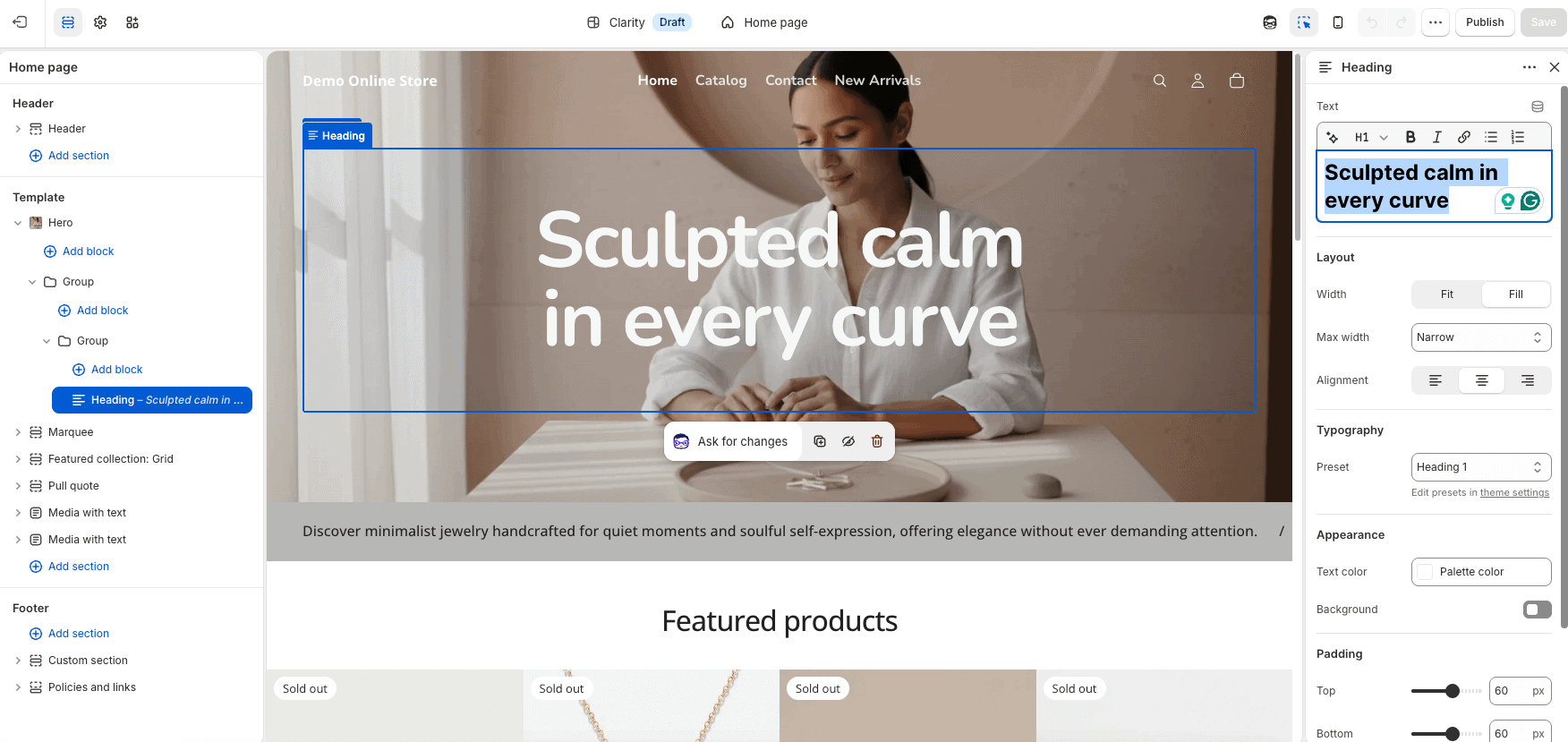
Replace generated images with original product photography whenever possible. Rewrite headlines around the customer’s problem and the product’s real value. Remove sections that do not support the buying decision, and add trust information such as shipping details, returns, contact options, product specifications, and authentic reviews.
Before finalizing the AI-generated layout, explore the 25 best Shopify store examples to see how successful stores approach branding, homepage structure, product photography, navigation, product pages, trust, and conversions. Use the examples for inspiration while creating a design that fits your own products and customers.
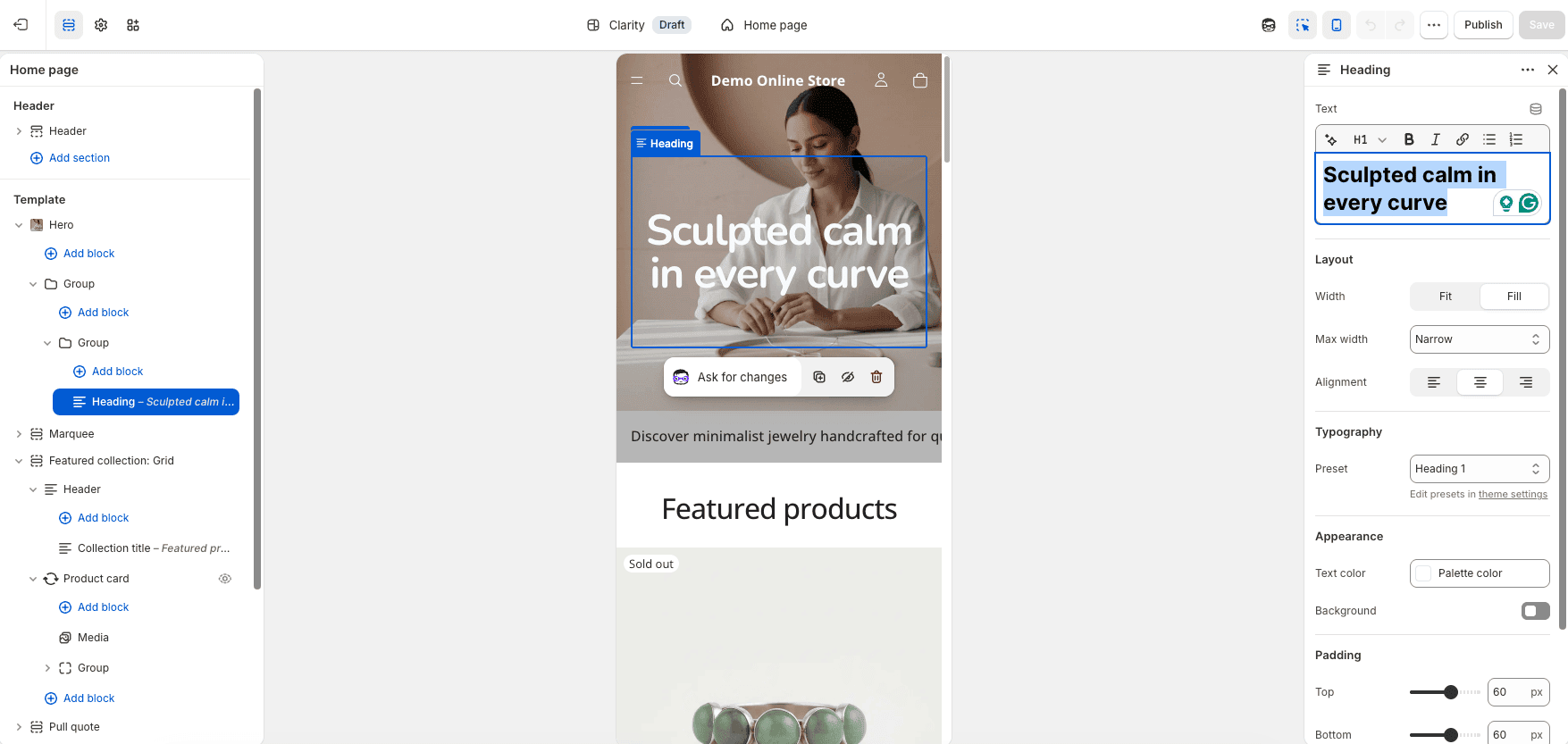
Shopify’s theme editor lets you adjust sections and blocks without code. Shopify Magic can also generate custom theme blocks from text instructions on supported themes, producing Liquid code that can be reviewed and added to the design. This extends customization beyond the initial AI-generated theme, but every generated block should be tested on desktop and mobile.
Shopify Magic and Sidekick
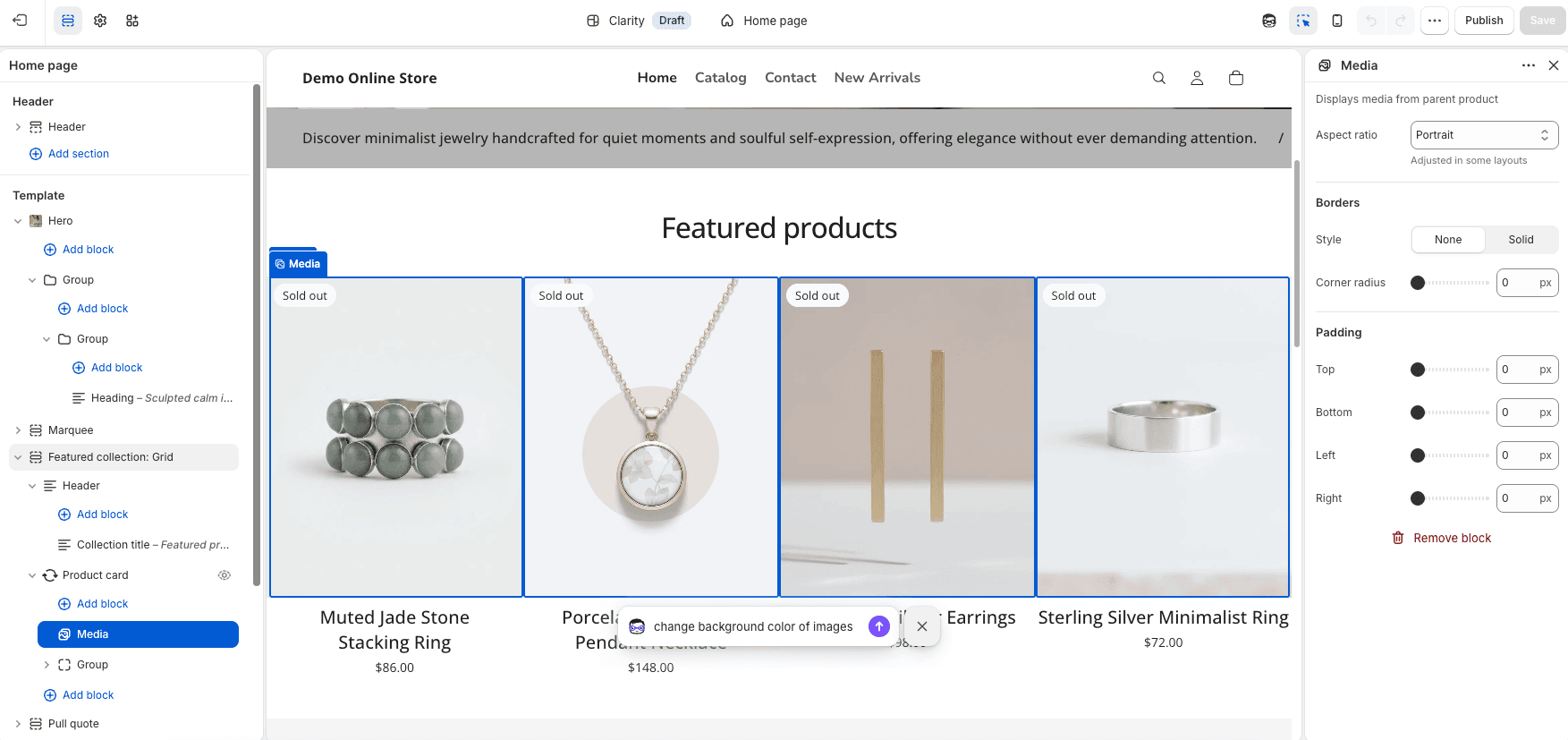
The AI Store Builder is only one part of Shopify’s AI system. Shopify Magic can assist with product descriptions, written content, image creation and editing, theme generation, and custom theme blocks. The media editor can remove or replace backgrounds, generate assets, and suggest image alt text.
Sidekick is the AI assistant inside the Shopify admin. It understands supported commerce workflows and store information, and it can help analyze data, answer questions, create content, edit products, manage supported tasks, and generate custom admin apps. Sidekick respects staff permissions, and features or usage limits can vary by plan.
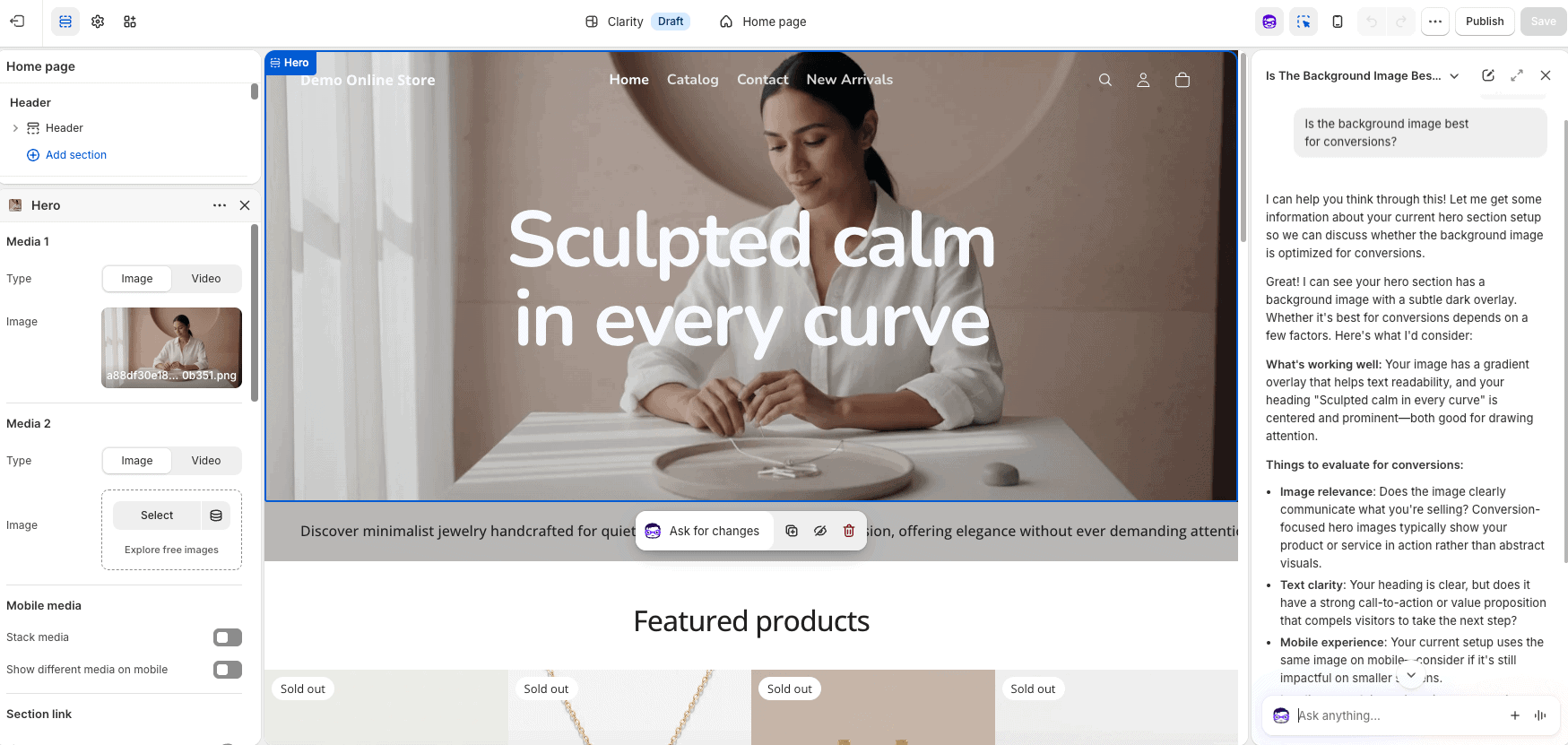
Because I’ve built Shopify stores for tutorials, the practical benefit is not one dramatic AI action. It is the accumulation of smaller time savings: starting the design, drafting a description, locating a setting, editing an image, or creating a section without beginning from zero.
Best Workflow for Building a Store With Shopify AI
- Define the customer, products, price range, brand promise, and visual direction before writing the prompt.
- Generate the three designs and choose based on structure rather than temporary text or images.
- Set global colors, typography, logo, buttons, and spacing before editing individual sections.
- Add real products and organize them into useful collections.
- Build navigation around how customers shop, not around the order in which pages were created.
- Replace generic AI copy with specific, accurate, benefit-focused content.
- Use Shopify Magic for drafts and image assistance, then review every output.
- Configure payments, shipping, taxes, notifications, policies, and the domain.
- Check desktop, tablet, and mobile layouts and remove unnecessary apps or sections.
- Place a test order and verify the entire customer and fulfillment experience.
For the complete process beyond the AI-generated design, follow the Shopify store setup tutorial.
Shopify AI Store Builder Pricing
Shopify currently describes its AI store-building features as included with Shopify rather than a separate paid design subscription. You can generate a design and start building during the trial, but operating and publishing a complete store requires an eligible Shopify plan.
| Plan | Monthly Billing | Yearly Billing | Who It Is For |
|---|---|---|---|
| Basic | $39/month | $29/month | Solo entrepreneurs and most new stores |
| Grow | $105/month | $79/month | Small teams needing up to five staff accounts |
| Advanced | $399/month | $299/month | International and more complex operations |
| Plus | From $2,300/month | Contract-based | Large and enterprise businesses |
Shopify currently offers new users a three-day free trial followed by $1 per month for the first three months on eligible plans. The practical approach is to generate the design, build as much of the store as possible, and choose a paid plan only after reviewing the real workflow and total cost.
Remember that the plan is not the full budget. A domain, premium theme, paid apps, payment processing, email tools, product photography, inventory, shipping, and marketing can add cost. Review the current Shopify pricing guide before publishing the store.
Start With the Shopify Free Trial
Shopify AI Store Builder Pros and Cons
Pros
- Creates three design directions quickly from one prompt
- Removes the intimidating blank-theme starting point
- Requires no coding to generate and edit the initial design
- Works inside Shopify’s complete ecommerce platform
- Can be customized with themes, sections, blocks, apps, Liquid, and CSS
- Connects naturally with Shopify Magic and Sidekick
- Included rather than sold as a separate native builder subscription
- Useful for beginners, product tests, campaign stores, and design inspiration
Cons
- Generated designs can feel generic without original branding and imagery
- Does not complete every ecommerce configuration or launch task
- AI text, images, and code require accuracy, rights, accessibility, and mobile review
- Publishing still requires a Shopify plan and other business expenses
- Advanced design changes can still require code, apps, or a developer
- Does not research products, prove demand, or create traffic automatically
Who Should Use the Shopify AI Store Builder?
- Beginners who want a guided visual starting point
- Small businesses launching an online store without a designer
- Existing Shopify merchants testing a new product or campaign direction
- Creators who know their brand concept but struggle to translate it into a layout
- Store owners who want to compare several design directions before committing
It is less suitable for a business that requires a completely custom experience, complex integrations, a specialized headless architecture, or strict design-system control from the first version. The AI builder can still provide inspiration, but a developer or Shopify Partner may be needed for the production build.
Is the AI-Generated Store Good for SEO?
The generated Shopify theme provides a responsive storefront foundation, but the AI design is not an SEO strategy. You still need keyword research, useful collection structure, accurate product content, unique titles and descriptions, descriptive image alt text, internal links, fast media, and content that matches what customers search for.
Follow my Shopify SEO guide for beginners to turn that foundation into an organized search strategy for products, collections, content, internal links, technical checks, and performance measurement.
Do not publish large amounts of generic AI copy simply because it is fast to create. Rewrite product and category pages around real customer questions, specifications, comparisons, use cases, and buying concerns. Original photography, firsthand product knowledge, and transparent policies improve both trust and usefulness.
Once the storefront and product data are accurate, my Shopify Pinterest guide explains how to connect the catalog, create Product Pins, and test the customer journey back to your store.
AI Accuracy, Copyright, and Store Safety
Review every generated output before it reaches customers. AI can produce inaccurate product claims, unsupported guarantees, invented features, awkward wording, inconsistent branding, inaccessible color combinations, or images that do not accurately represent the product.
Use media and text you have the right to publish. Check product labeling, health or performance claims, return promises, shipping estimates, privacy language, and regulated-product requirements with an appropriate professional when necessary. Generated policy templates are starting points, not automatic legal compliance.
Test generated theme blocks and code on a duplicate theme before publishing. Check mobile layout, keyboard navigation, contrast, buttons, forms, cart behavior, and page speed. Keep the number of apps and custom scripts as small as practical.
Alternatives to Shopify’s AI Store Builder
You can start with a prebuilt Shopify theme and customize it manually, use a third-party page-builder app, hire a Shopify Partner, build a custom theme, or choose a different ecommerce website builder. The best alternative depends on budget, design requirements, technical skill, and how much control the business needs.
If you are deciding between Shopify’s managed website-building system and WordPress’s greater publishing and technical flexibility, read my Shopify vs WordPress comparison.
If WordPress and WooCommerce are another option, read my Shopify vs WooCommerce comparison to compare the platforms’ setup process, customization, checkout, SEO, ownership, maintenance, and scalability.
If you are still deciding where to sell, compare Shopify vs Etsy to understand the differences in ownership, fees, customization, customer access, and long-term growth. Shopify is designed for building an independent online store, while Etsy provides access to an established marketplace.
For most new Shopify users, the native AI builder should be tested before paying for another design tool. It may already provide the required layout. Add a paid app or professional only after identifying a specific limitation that affects the customer experience or business results.
The full Shopify review for 2026 explains how the AI tools fit into the broader ecommerce platform.
If an AI-built Shopify store will run a holiday promotion, use my Shopify Black Friday checklist to complete the manual pricing, inventory, checkout, shipping, marketing, and support work.
Shopify AI Store Builder Frequently Asked Questions
Is Shopify’s AI Store Builder free?
Shopify currently includes its native AI store-design features rather than charging a separate builder subscription. You can begin during the free trial, but operating and publishing the complete store requires an eligible Shopify plan.
Can Shopify AI build an entire store?
It can generate a personalized theme and store-design starting point. The owner must still verify or complete products, collections, navigation, payments, shipping, taxes, policies, domain settings, mobile layout, and test orders.
How many designs does the AI Store Builder create?
Shopify currently says the AI Store Builder produces three personalized design options from the business description. Availability and usage limits can change.
Do I need coding skills?
No coding is required to generate a design or make standard changes with the theme editor. Advanced customization can use Liquid, CSS, generated theme blocks, apps, or help from a developer.
Can Shopify AI write product descriptions?
Yes. Shopify Magic can draft product descriptions from details such as a product title and keywords. Review the output for accuracy, brand voice, prohibited claims, repetition, and useful product information before publishing.
Can Shopify AI create product images?
Shopify Magic includes media-generation and editing tools that can create assets, remove or replace backgrounds, and support image work. Generated images should accurately represent the product and be reviewed for quality and usage rights.
Will an AI-generated Shopify store make sales?
No store design can guarantee sales. Results depend on product demand, offer, price, trust, traffic, competition, merchandising, customer service, shipping, and the complete buying experience.
Once the AI-generated design has been properly completed and tested, use my Shopify first-sale guide to develop the offer, reach potential customers, choose a traffic strategy, and measure the complete buying journey.
Can I change the AI-generated design later?
Yes. You can continue editing the selected Shopify theme, change sections and settings, add apps or custom code, and test another theme. Duplicate the current theme before making large changes.
If the AI-generated storefront will use supplier-direct fulfillment, follow my Shopify dropshipping guide to choose suppliers, calculate margins, create product pages, test fulfillment, and plan marketing.
Final Verdict: Is Shopify’s AI Store Builder Worth It?
Yes. Shopify’s AI Store Builder is worth using because it creates three credible design directions quickly, requires no coding to begin, and places the result inside a mature ecommerce platform. It can save the time normally spent choosing a theme and staring at an empty homepage.
Its value depends on understanding the boundary. The tool creates momentum and a storefront foundation. The merchant creates the real business by adding accurate products, original branding, trustworthy policies, operational settings, testing, customer service, and marketing.
Try Shopify’s AI Store Builder during the current free trial. Generate all three options, choose the strongest structure, and evaluate how much manual work remains before selecting a paid plan.
If the AI-generated storefront will center on one item, use my one-product Shopify store guide to validate the offer, refine the positioning, structure the pages, and test the complete customer journey.