
Shopify Free Trial: How to Start Free and Get Shopify for $1/Month
Last Updated on August 25, 2026
If you’ve been thinking about starting an online store, launching a dropshipping business, selling print-on-demand products, or creating a brand online, Shopify’s current free trial offer is one of the easiest ways to get started.
New Shopify users can start the Shopify free trial and then continue for just $1 per month for the first 3 months on eligible plans. This gives you time to build your store, learn the platform, add products, customize your design, and explore Shopify’s tools before paying the regular subscription price.
I’ve tested Shopify multiple times over the years while reviewing website builders, ecommerce platforms, and online business tools. In my experience, Shopify remains one of the best ecommerce platforms for beginners because it removes many of the technical barriers that prevent people from launching an online store.
Instead of worrying about hosting, software updates, security patches, backups, and server management, Shopify handles those tasks for you. This allows you to focus on what actually matters: building your store and making sales.
In this guide, I’ll show you exactly how to claim the Shopify free trial, what features are included, how pricing works, what I learned while testing Shopify, and whether it’s worth using for your business.
Key Takeaways
- Shopify offers a free trial for new users.
- Eligible plans include Shopify for $1/month for the first 3 months after the trial.
- Shopify includes hosting, security, updates, and ecommerce functionality in one platform.
- You can create online stores, dropshipping businesses, print-on-demand stores, digital product stores, and more.
- In my experience, Shopify is one of the easiest ecommerce platforms for beginners.
- Most users can build a professional-looking store in less than a day.
- Shopify is ideal for entrepreneurs who want to start selling online without dealing with technical setup.
Prefer to watch instead? The video below walks through how to claim the Shopify free trial, explains the current promotion, and shows you how to get started step by step.

What Is the Shopify Free Trial?
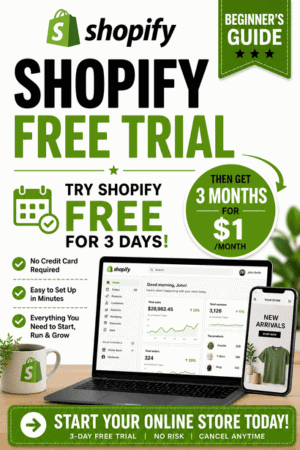
The Shopify free trial allows new users to explore the platform before committing to a full-priced subscription.
Rather than paying immediately, you can create an account, build your store, test Shopify’s features, and become familiar with the platform. Once the trial period ends, eligible users can continue using Shopify for just $1 per month for the first 3 months.
For many people, this dramatically lowers the cost of starting an online business.
How Long Is the Shopify Free Trial?
Promotions can change over time, but Shopify’s current offer allows new users to start with a free trial and then continue for $1 per month for 3 months on eligible plans.
Always verify the latest offer details directly through Shopify before signing up.
What Is Included During the Trial?
The Shopify free trial gives you access to many of the platform’s core features, including:
- Store creation tools
- Product management
- Theme customization
- Shopify dashboard access
- Marketing tools
- App integrations
- Store settings
- Order management setup
This allows you to properly evaluate whether Shopify is the right platform for your business.
If you’re ready to see how the platform works, you can start your Shopify free trial here.
Why Shopify Is So Popular
Shopify powers millions of online stores and has become one of the most recognizable ecommerce platforms in the world.
One reason for its popularity is simplicity.
Many ecommerce platforms require you to manage:
- Hosting
- Security
- Software updates
- Performance optimization
- Technical maintenance
Shopify handles those responsibilities for you.
What I found after testing Shopify is that most beginners can focus entirely on building their business rather than troubleshooting technical problems.
Shopify Features
Some of Shopify’s most popular features include:
- Ecommerce website builder
- Product management
- Secure checkout
- Mobile-responsive themes
- Inventory management
- Shipping tools
- Discount code creation
- Analytics and reporting
- Shopify App Store
- Payment integrations
How to Claim the Shopify Free Trial
Getting started is straightforward.
Step 1: Visit Shopify
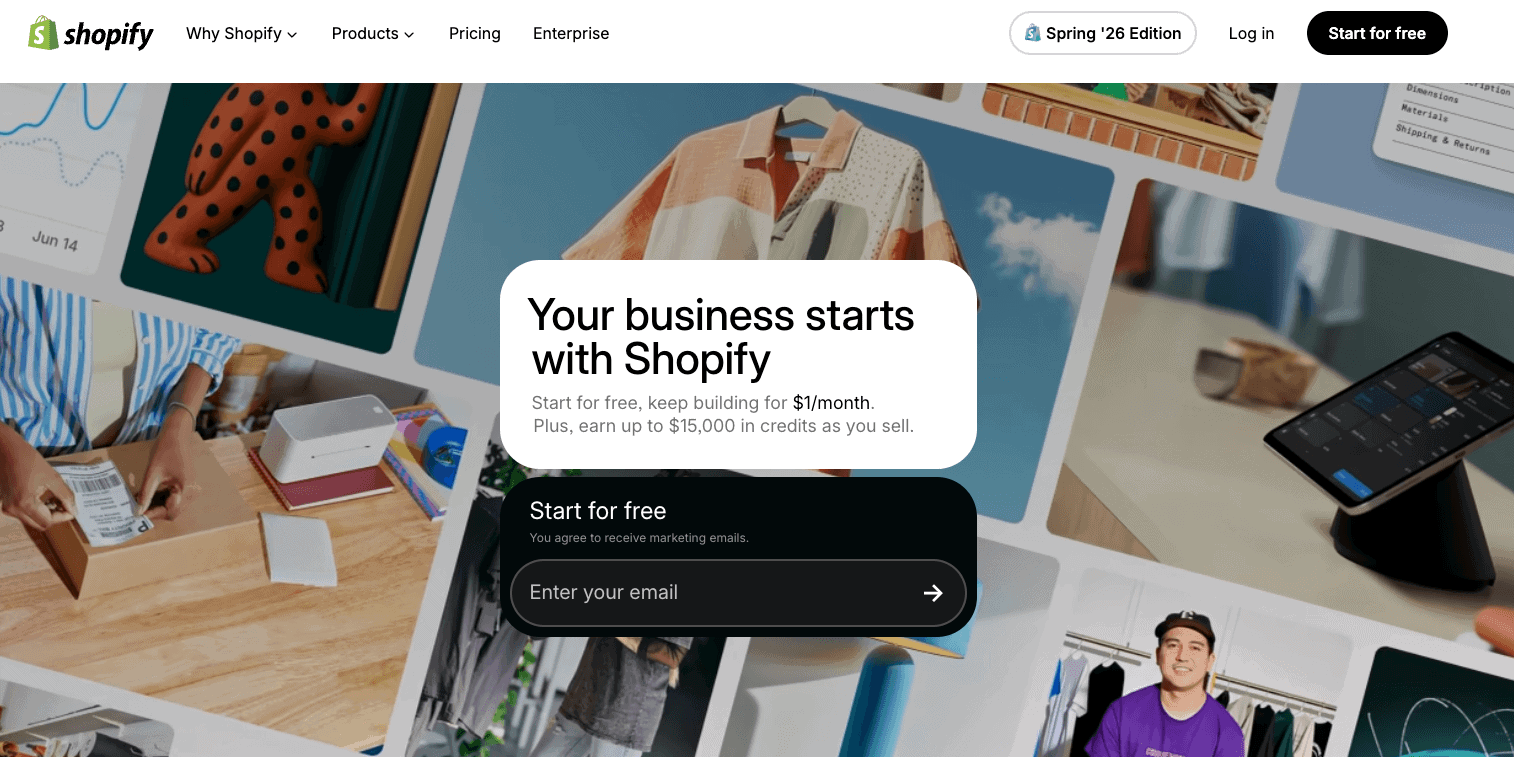
Visit Shopify here to claim the current free trial offer.
You’ll be taken directly to Shopify’s signup process.
Step 2: Create Your Account
Enter:
- Your email address
- Password
- Store name
Shopify will create your account and begin the onboarding process.
Step 3: Answer Shopify’s Questions
Shopify may ask questions regarding:
- Business type
- Selling experience
- Business goals
- Products you plan to sell
These questions help personalize your setup experience.
Step 4: Access the Shopify Dashboard
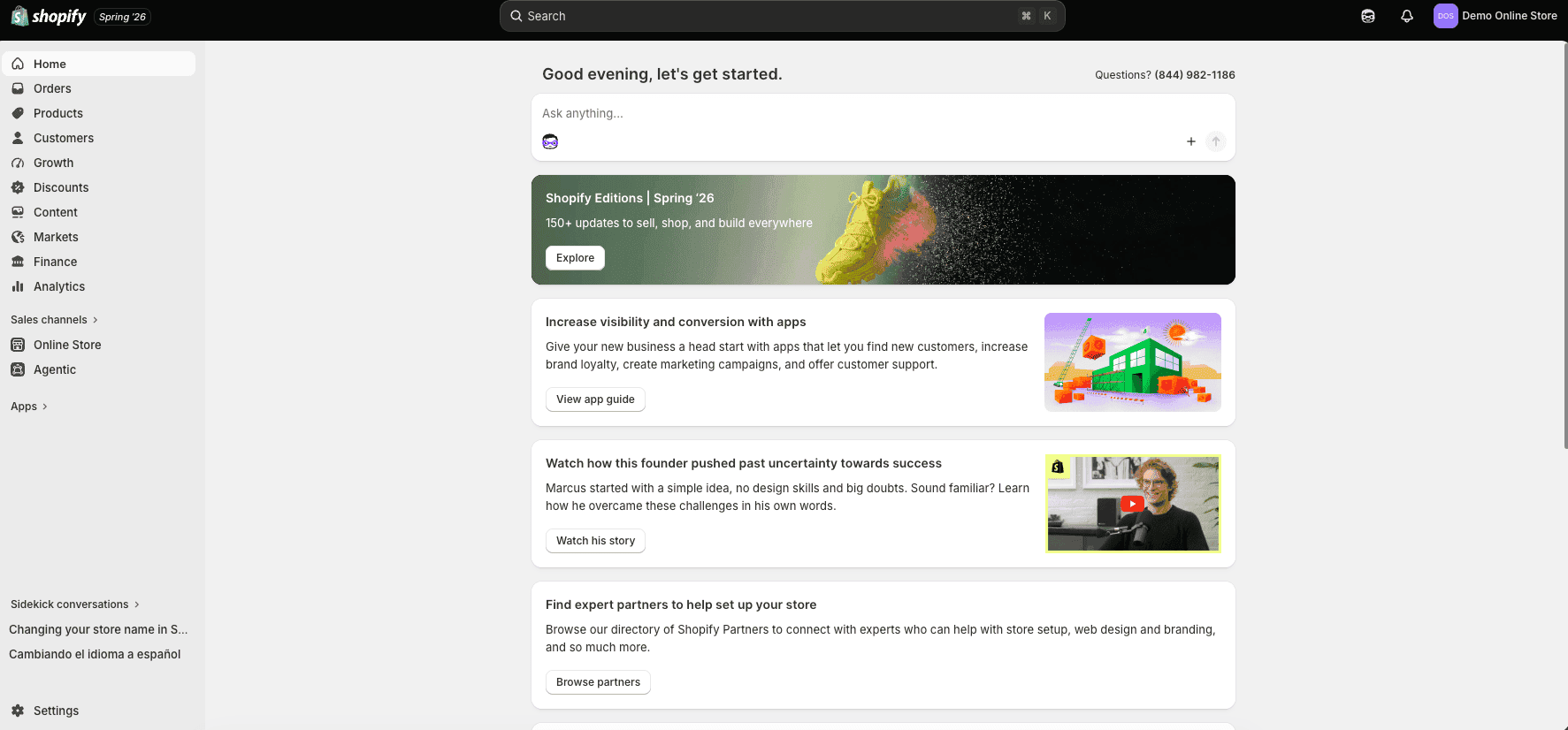
Once your account is created, you’ll gain access to the Shopify dashboard.
This is where you’ll manage:
- Products
- Customers
- Orders
- Themes
- Apps
- Marketing tools
- Store settings
One thing I noticed is that Shopify’s dashboard is significantly easier for beginners to understand compared to many competing ecommerce platforms.
Step 5: Customize Your Store
You can begin customizing:
- Homepage sections
- Navigation menus
- Colors
- Fonts
- Product pages
- Collection pages
Even Shopify’s free themes look modern and professional.
Before customizing your layout, explore the 25 best Shopify store examples to see how different stores approach homepage design, product photography, navigation, product pages, branding, and trust. Use the examples for inspiration, but keep your first version simple enough to complete and test during the trial.
Step 6: Select Your Plan
When you’re ready, choose an eligible Shopify plan and take advantage of the $1/month for 3 months promotion.
My Shopify Setup Process
After testing Shopify, I found the setup process surprisingly simple.
Creating an account took only a few minutes.
Adding products was straightforward, and Shopify guided me through most of the important setup steps automatically.
What surprised me most was how quickly I could create a professional-looking storefront using only a free theme.
One thing I noticed is that many beginners spend too much time trying to perfect every design detail before launching.
My recommendation is to focus on getting products added, configuring your store, and launching quickly. You can always improve the design later.
If I were starting a brand-new ecommerce business today, I’d simply start with Shopify’s free trial and begin building immediately.
I would use the free trial period to:
- Build the store
- Add products
- Customize the homepage
- Install essential apps
- Connect a domain
- Test checkout
- Launch
What Can You Build With Shopify?
One of the biggest misconceptions about Shopify is that it’s only for large ecommerce brands.
After testing Shopify, I found that the platform is flexible enough for many different business models.
You can use Shopify to create:
- Traditional online stores
- Dropshipping businesses
- Print-on-demand stores
- Subscription businesses
- Digital product stores
- Membership websites
- Wholesale stores
- Local business stores
- Branded merchandise stores
For example, a local bakery can use Shopify to accept online orders, while a content creator can sell merchandise, digital downloads, and courses.
This flexibility is one of the reasons Shopify has become so popular among entrepreneurs.
For most beginners, Shopify provides enough functionality to start small while still offering room to scale as the business grows.
If you’re ready to build your first online store, follow my complete guide on How to Start a Shopify Store, where I walk you through every step from creating your account to launching your website.
Shopify Features Included During the Free Trial
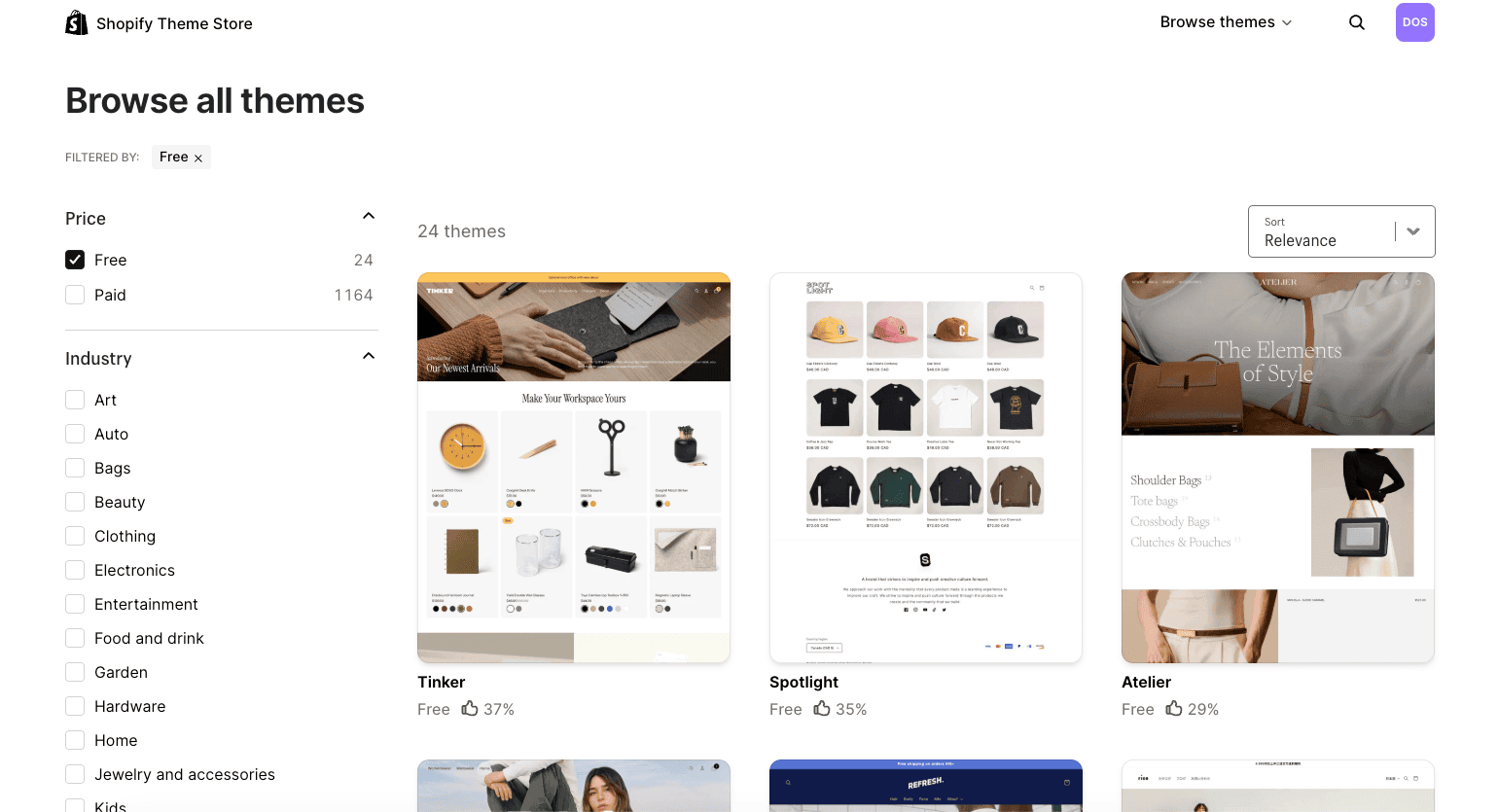
Many people wonder whether Shopify’s free trial is a limited demo version or whether it gives access to real functionality.
What I found is that Shopify allows you to experience many of the platform’s core features during the trial.
Some of the most useful features include:
Store Builder
Shopify includes an easy-to-use website builder that allows you to create pages, navigation menus, and store layouts without coding.
Shopify also includes an AI Store Builder that can generate personalized storefront designs from a short business description. Read my Shopify AI Store Builder review to see how it works, what it creates, its limitations, and whether it is worth using during your free trial.
Product Management
You can add products, create collections, upload images, set pricing, manage inventory, and organize your catalog.
Theme Customization
Shopify offers professionally designed themes that can be customized to match your brand.
Mobile Optimization
All Shopify themes are designed to work on mobile devices, which is critical because a large percentage of ecommerce traffic comes from smartphones.
App Integrations
The Shopify App Store provides access to thousands of integrations for marketing, reviews, subscriptions, shipping, and more.
Analytics
Shopify provides reporting tools that help you understand traffic, orders, customer behavior, and store performance.
Shopify Free Trial Checklist
If you’re starting the Shopify free trial, here’s the exact checklist I recommend following.
Week 1
- Create your Shopify account
- Choose a store name
- Upload your logo
- Select a theme
- Customize your homepage
Week 2
- Add products
- Create collections
- Configure navigation menus
- Set up product descriptions
- Upload product images
Week 3
- Connect your domain
- Configure payment methods
- Configure shipping settings
- Install essential apps
- Create key pages
Week 4
- Test checkout
- Review mobile responsiveness
- Proofread content
- Test store functionality
- Launch your store
Following this checklist helps ensure you make the most of the trial period.
Once your store is ready to launch, use my Shopify first-sale guide to prepare your offer, attract qualified visitors, begin outreach, and follow a practical 30-day action plan.
What Does Shopify Cost After the Free Trial?
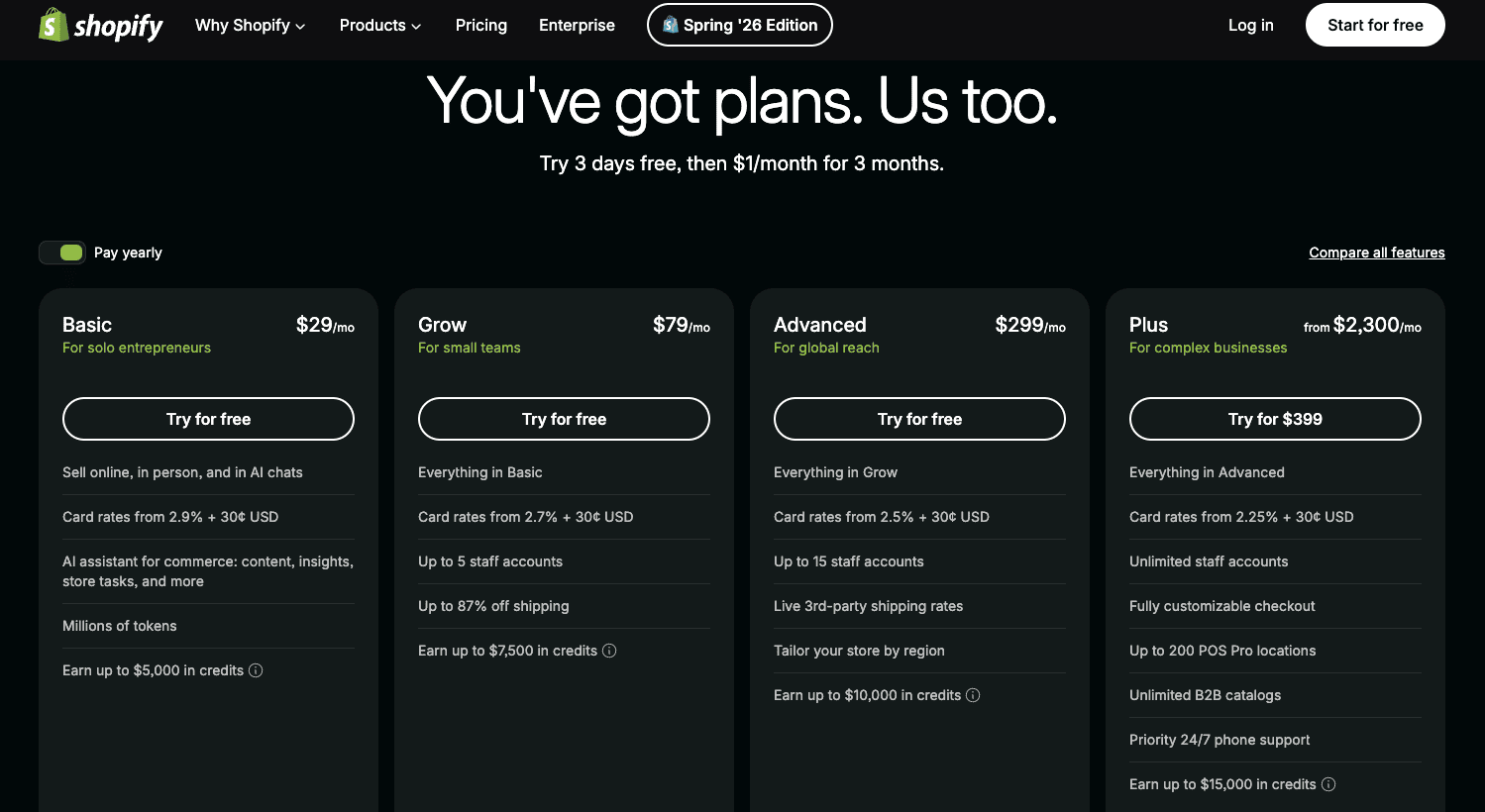
Once the promotional period ends, Shopify transitions to its standard pricing structure.
Shopify offers multiple plans designed for different business sizes and needs.
Basic Shopify
Best for:
- New entrepreneurs
- Side hustlers
- Small ecommerce businesses
The Basic plan typically includes everything needed to launch and manage a professional online store.
Grow
Best for:
- Growing businesses
- Stores generating consistent sales
This plan generally includes additional features and reporting capabilities.
Advanced Shopify
Best for:
- Established ecommerce businesses
- Higher-volume stores
Advanced Shopify includes more robust reporting and operational tools.
Shopify Plus
Best for:
- Enterprise businesses
- Large-scale ecommerce operations
Additional Costs to Consider
In addition to your Shopify plan, you may eventually invest in:
- Premium themes
- Paid apps
- Email marketing software
- Domain registration
In my experience, most beginners should avoid unnecessary expenses early on and focus on validating their business idea first.
You can compare the latest plans and start Shopify here.
Before selecting a paid plan, compare the current monthly and annual costs, transaction fees, and included features in my complete Shopify pricing guide.
Before removing the storefront password, use the complete Shopify store launch checklist to verify that the store is ready for customers.
Shopify Pros and Cons
| Pros | Cons |
|---|---|
| Easy setup process | Monthly subscription required |
| Hosting included | Premium apps may add costs |
| Excellent performance | Less flexibility than open-source platforms |
| Secure platform | Some advanced customization requires developers |
| Beginner-friendly dashboard | Premium themes cost extra |
| Large app marketplace | Transaction fees may apply |
For a deeper evaluation of the platform before committing, read my complete Shopify review covering its features, pricing, advantages, and limitations.
Shopify vs WooCommerce
One of the most common questions people ask is whether Shopify or WooCommerce is the better choice.
Quick Comparison
| Feature | Shopify | WooCommerce |
|---|---|---|
| Beginner Friendly | Yes | Moderate |
| Hosting Included | Yes | No |
| Security Included | Yes | No |
| Updates Included | Yes | No |
| Setup Difficulty | Easy | Moderate |
| Customization | High | Very High |
| Maintenance | Minimal | User Managed |
Shopify Advantages
Shopify is easier to set up and manage.
You don’t need to worry about:
- Hosting
- Security
- Updates
- Backups
- Technical maintenance
For beginners, this simplicity is often worth the monthly subscription cost.
WooCommerce Advantages
WooCommerce offers greater flexibility and customization because it’s open source and runs on WordPress.
Advanced users often prefer WooCommerce because of the additional control it provides.
My Recommendation
After testing both platforms, I generally recommend Shopify for beginners.
If your goal is to launch quickly and focus on sales, Shopify is usually the better option.
If your goal is maximum flexibility and customization, WooCommerce may be a better fit.
If you’re a beginner, I’d recommend trying Shopify first before moving to a more advanced platform.
Common Mistakes New Shopify Users Make
After testing Shopify and reviewing countless ecommerce stores over the years, I’ve noticed several mistakes that new users frequently make during their trial period.
Avoiding these mistakes can save you time, money, and frustration.
Installing Too Many Apps
One of the biggest mistakes beginners make is installing dozens of apps immediately.
While Shopify’s app ecosystem is excellent, too many apps can clutter your dashboard and increase your costs later.
My recommendation is to start with only the apps you truly need and add more as your business grows.
Spending Too Much Time Perfecting Design
Many store owners spend weeks tweaking colors, fonts, and layouts before they ever launch.
What I found is that getting products listed and making your store functional is far more important than obsessing over minor design details.
A simple store that is live and generating sales is better than a perfect store that never launches.
Writing Weak Product Descriptions
Product descriptions play a major role in both conversions and SEO.
Instead of copying manufacturer descriptions, create unique content that explains:
- Benefits
- Features
- Use cases
- Frequently asked questions
Ignoring Mobile Users
A large percentage of ecommerce traffic comes from mobile devices.
Always test your store on:
- Smartphones
- Tablets
- Desktop computers
before launching.
Skipping Checkout Testing
Before sending traffic to your store, place test orders and review the entire purchasing process.
One thing I always recommend is walking through your store as if you were a customer.
This often reveals issues that would otherwise go unnoticed.
Before publishing your store or sending traffic to it, work through my complete Shopify mistakes to avoid guide to catch additional product, design, app, checkout, shipping, SEO, and mobile problems.
Who Shopify Is Best For
New Ecommerce Entrepreneurs
If you’re launching your first online store, Shopify is one of the easiest ways to get started.
The platform handles much of the technical work for you, allowing you to focus on products and marketing.
Dropshippers
Shopify integrates with many popular dropshipping platforms.
This makes it easy to source products and automate fulfillment.
Print-on-Demand Sellers
Shopify works extremely well with print-on-demand services such as:
- Printful
- Printify
- Gelato
These integrations allow you to sell custom products without carrying inventory.
Small Business Owners
Local businesses can use Shopify to expand online and reach customers beyond their local market.
Content Creators
Creators can sell:
- Merchandise
- Digital downloads
- Memberships
- Online courses
using Shopify.
If you have not chosen where to sell yet, my Shopify or Etsy comparison explains the difference between building an independent online store and selling through an established marketplace.
Who Should Avoid Shopify?
Users Who Want Complete Server Control
If you want full control over your hosting environment, Shopify may feel restrictive.
Advanced Developers
Developers who require extensive backend customization may prefer open-source platforms.
Users Trying to Avoid Subscription Fees
If recurring monthly costs are a concern, WooCommerce may be worth considering.
Tips for Getting the Most Value From Your Shopify Free Trial
Decide What You’ll Sell Before Starting
Many people sign up for Shopify before they have a clear business idea.
You’ll get much more value from the trial if you already know:
- Your niche
- Your products
- Your target audience
If you are still planning the business before beginning your trial, follow my complete guide on how to start an online store. It covers product validation, startup costs, profit margins, fulfillment, Shopify setup, launch testing, and customer acquisition.
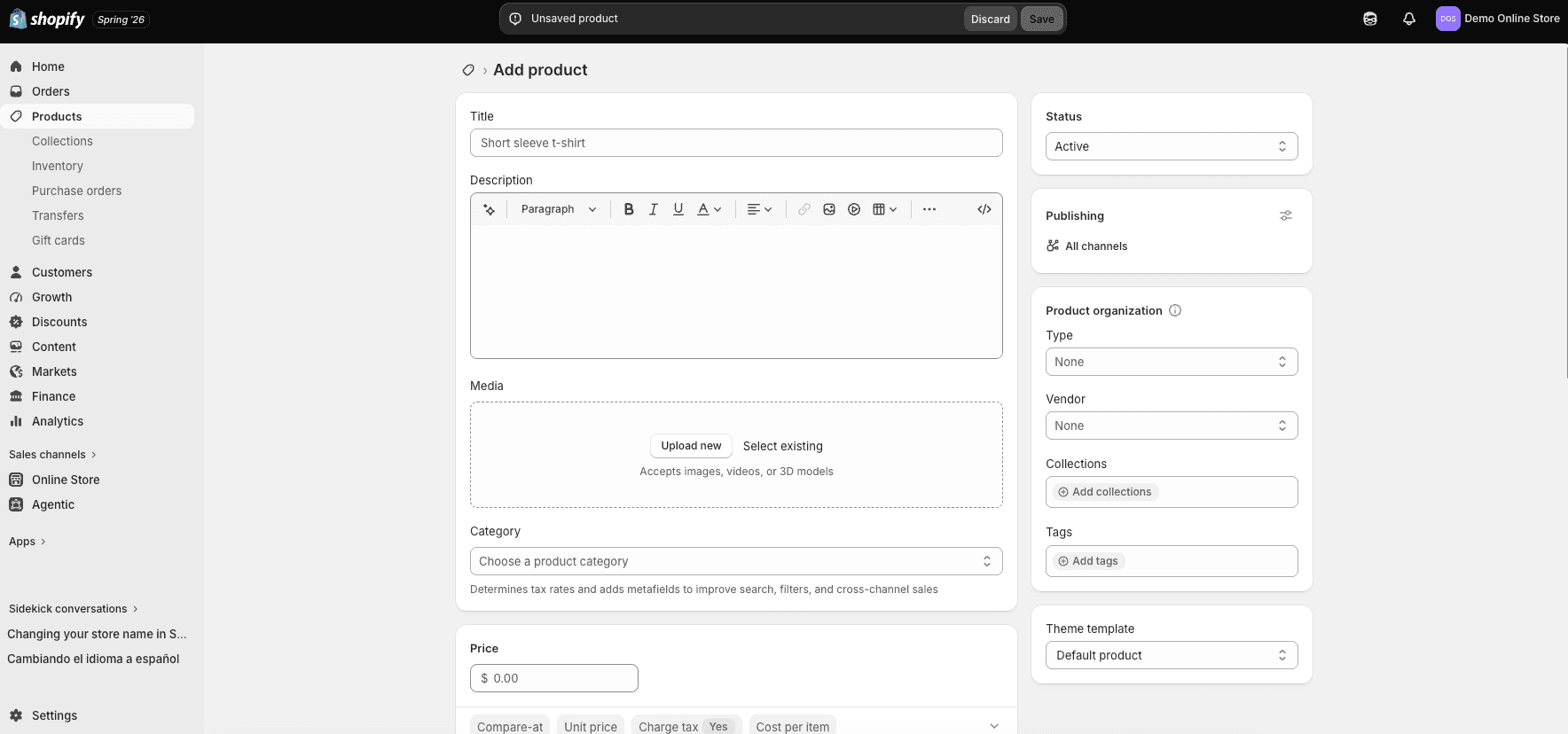
Add Products Immediately
The fastest way to learn Shopify is by using it.
Add products as soon as possible and begin building your catalog.
Use a Free Theme First
Shopify’s free themes are surprisingly good.
In my experience, most beginners do not need a premium theme during the trial period.
Connect a Domain
A custom domain makes your store appear more professional and trustworthy.
Focus on Launching
Don’t get stuck trying to perfect every detail.
Launch your store, learn from customer feedback, and improve over time.
Shopify Alternatives
Although Shopify is one of my favorite ecommerce platforms, it isn’t the only option available.
WooCommerce
WooCommerce is ideal for WordPress users who want complete ownership and flexibility.
BigCommerce
BigCommerce is often considered Shopify’s closest competitor and includes many built-in ecommerce features.
Wix Ecommerce
Wix provides an easy website-building experience for smaller online stores.
Squarespace Commerce
Squarespace is particularly popular among creatives, photographers, designers, and service-based businesses.
Despite these alternatives, Shopify remains my preferred recommendation for most beginners because of its balance of ease of use, scalability, and reliability.
Is the Shopify Free Trial Worth It?
For most people, yes.
The reason is simple.
Shopify allows you to explore one of the world’s leading ecommerce platforms without making a significant upfront investment.
In my experience, the free trial is especially valuable for:
- First-time entrepreneurs
- Side hustlers
- Dropshippers
- Print-on-demand sellers
- Small business owners
- Content creators
What I found is that many people spend months researching ecommerce platforms without actually taking action.
The Shopify free trial removes much of that hesitation because you can begin building immediately and learn by doing.
Even if you eventually decide Shopify isn’t the right platform for your business, the experience gained during the trial can still be valuable.
If you’re serious about starting an online business, I’d recommend starting your Shopify free trial while the current offer is available.

Frequently Asked Questions
Does Shopify Have a Free Trial?
Yes. Shopify offers a free trial for new users.
How Long Is the Shopify Free Trial?
Current promotions typically include a free trial followed by $1 per month for the first 3 months on eligible plans.
Do I Need a Credit Card for the Shopify Free Trial?
Requirements may vary depending on Shopify’s current promotion and your location.
Can I Cancel Shopify During the Trial?
Yes. You can cancel before upgrading if Shopify isn’t the right fit.
Is Shopify Good for Beginners?
Absolutely. In my experience, Shopify is one of the easiest ecommerce platforms available for beginners.
Can I Sell Products During the Trial?
You can build and prepare your store while evaluating Shopify’s features.
Does Shopify Include Hosting?
Yes. Shopify includes hosting as part of the platform.
Can I Use My Own Domain Name?
Yes. Shopify allows you to connect an existing domain or purchase a new one.
Is Shopify Good for Dropshipping?
Yes. Shopify is one of the most popular platforms for dropshipping businesses.
Can I Sell Digital Products on Shopify?
Yes. Shopify supports digital products through built-in functionality and apps.
Can I Sell Print-on-Demand Products on Shopify?
Yes. Shopify integrates with popular print-on-demand providers.
Follow my Shopify print-on-demand guide to compare providers, connect an app, create products, calculate pricing, order samples, and prepare your store for launch.
What Happens After the Shopify Trial Ends?
Your account transitions to standard Shopify pricing if you choose to continue.
Is Shopify Better Than WooCommerce?
For beginners, Shopify is often easier. For advanced users wanting complete control, WooCommerce may be preferable.
How Quickly Can I Launch a Shopify Store?
Many users can build a basic store in less than a day.
Is Shopify Worth the Cost?
For many businesses, yes. The convenience, security, hosting, and ease of use justify the cost.
Final Verdict
The Shopify free trial is one of the best opportunities available for aspiring ecommerce entrepreneurs.
In my experience, Shopify strikes an excellent balance between ease of use, professional design, reliability, and scalability.
What I found after testing Shopify is that most beginners can launch a store far faster than they expect, even without prior experience.
I Recommend Shopify If:
- You want to start selling online quickly
- You’re new to ecommerce
- You want hosting and security included
- You don’t want technical headaches
- You want a low-risk way to test a business idea
I Don’t Recommend Shopify If:
- You need complete server control
- You prefer open-source software
- You enjoy managing your own hosting environment
Ready to Start Your Shopify Free Trial?
If you’re ready to build your online store, take advantage of Shopify’s current offer and start for free. Ready to launch your online store?
Eligible users can continue with Shopify for just $1/month for the first 3 months, making it one of the lowest-risk ways to launch an ecommerce business today.

- How to Get Your First Sale on Shopify (2026) - August 25, 2026
- 15 Shopify Mistakes to Avoid Before Launching - August 25, 2026
- Shopify Review 2026: Is It Worth It? Pros and Cons - August 25, 2026

Leave a Reply
Want to join the discussion?Feel free to contribute!